Kubernetes 101 - pods 1
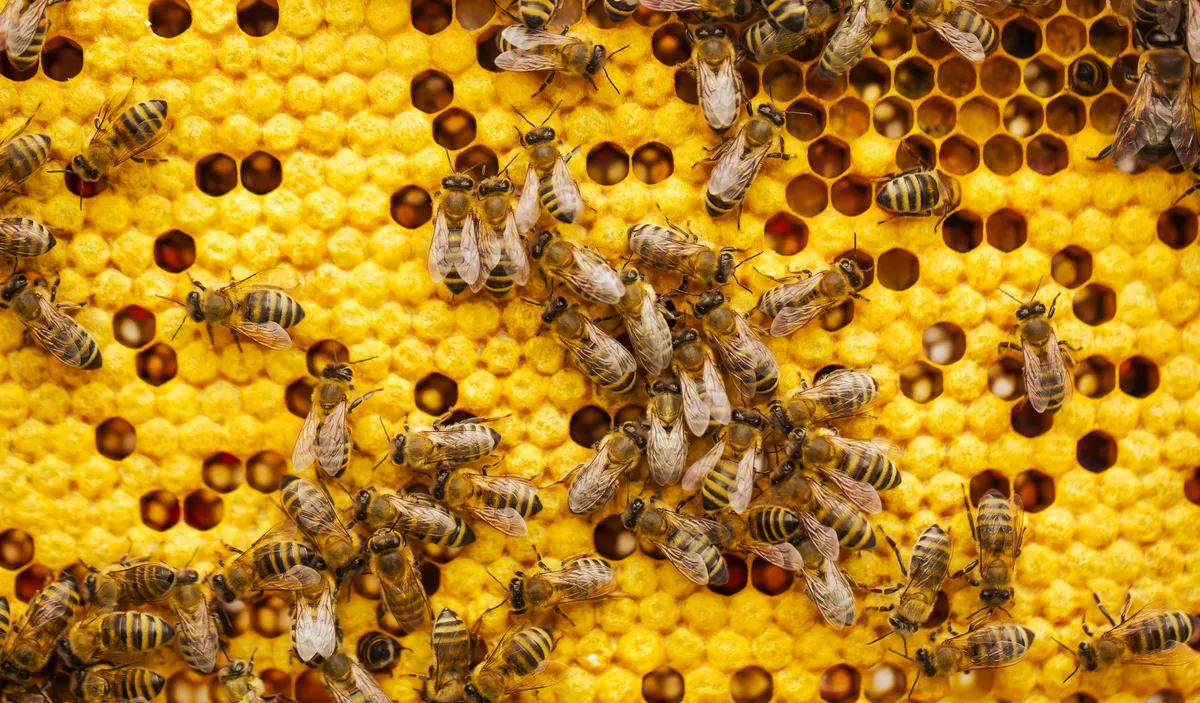
If mitochondria is the powerhouse of the cell then the Pod is the powerhouse of the Kubernetes cluster. It is the smallest unit of compute in the Kubernetes eco-system and hosts a group of one or more containers (though in most cases the terms pod and container can be used interchangeably).
The containers are mapped to each other by the network of the pod that hosts them and can communicate with each other over localhost. They also use Inter-Process communications (IPC) in coordination with each other's processes, which are fundamental for running multi-container applications. Hence, the humble pod has the ability to encapsulate an entire application, its dependencies, and shared network and storage resources within a single deployable unit.
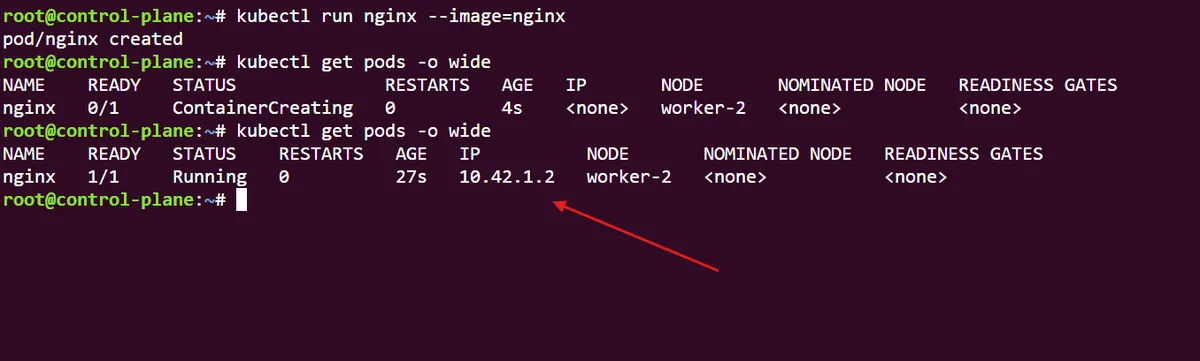
Let's see how this works by running a simple webserver, using a single nginx container within a kubernetes pod:
Using the cmd tool kubectl we create an nginx pod from the official nginx image hosted on Docker Hub. After a few moments, we can get the details of the pod and see that it is in a running state, hosted on the node worker-2 with an IP address of 10.42.1.2
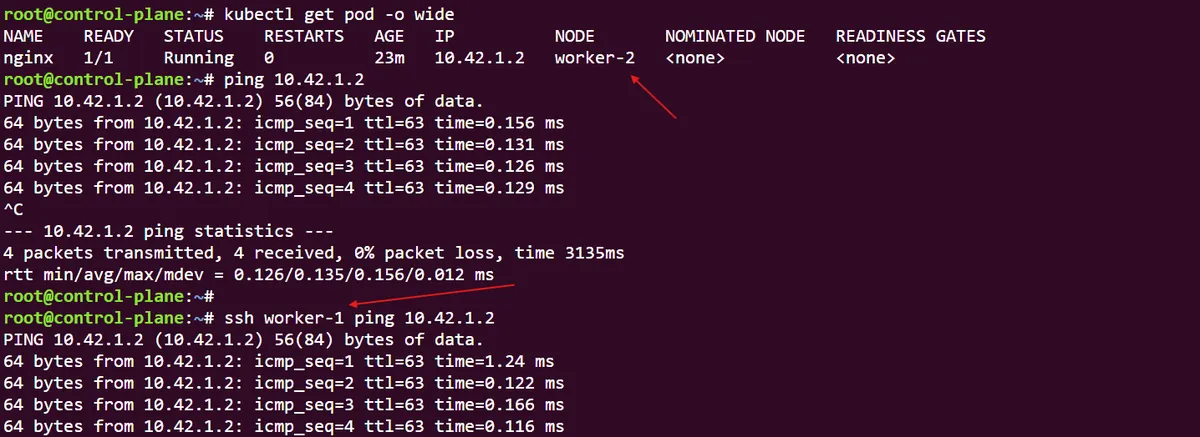
Because we are using kubectl to hit the Kubernetes API server, we have direct access to the Kubernetes cluster which means we can ping the nginx pods' IP address. This pods' IP address is accessible from any node within the cluster (unless we configured it not to be). We can demonstrate this by using ssh to connect to a different node in the cluster (in this case, worker-1) and successfully hit the same nginx pods' IP address:
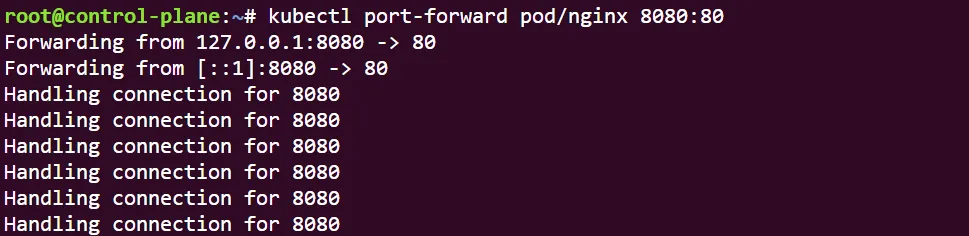
Kubernetes also has a pretty clean way of us accessing these resources from outside of the Kubernetes cluster. If we use the kubectl port-forward --help command, we can see clearly how exactly we can forward the IP address of our pod to another server (in this case our local host).
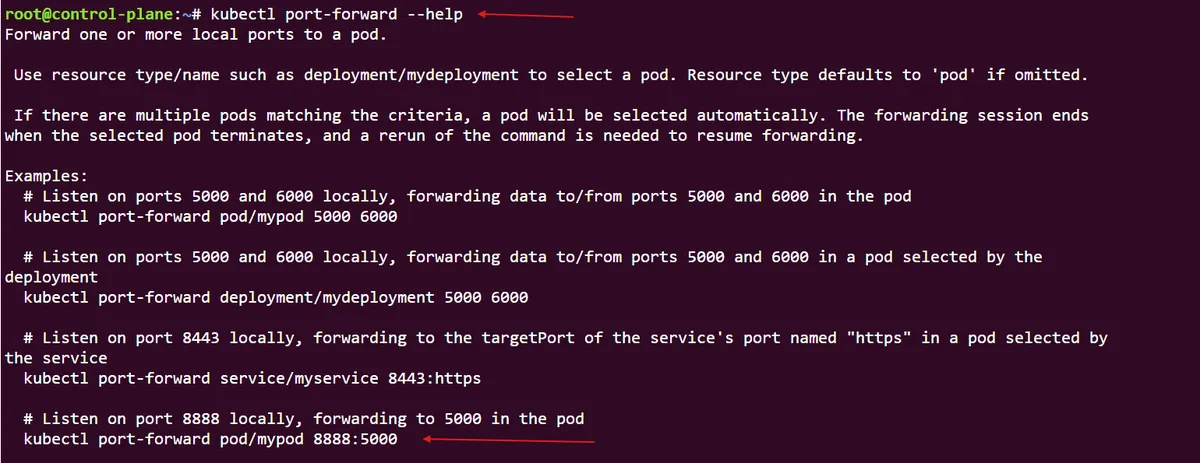
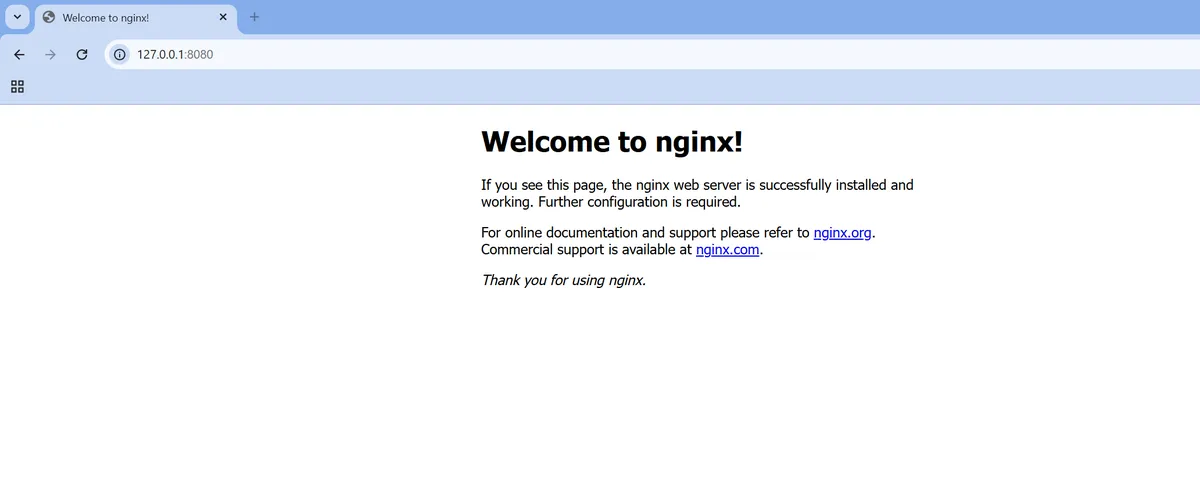
In this case we will create a port forwarding tunnel to port 80 of the nginx pod in the cluster, before specifying our localhost to listen on port 8080. If I run this before navigating to that address, I can see that we are successfully forwarding our nginx pod address to our localhost.
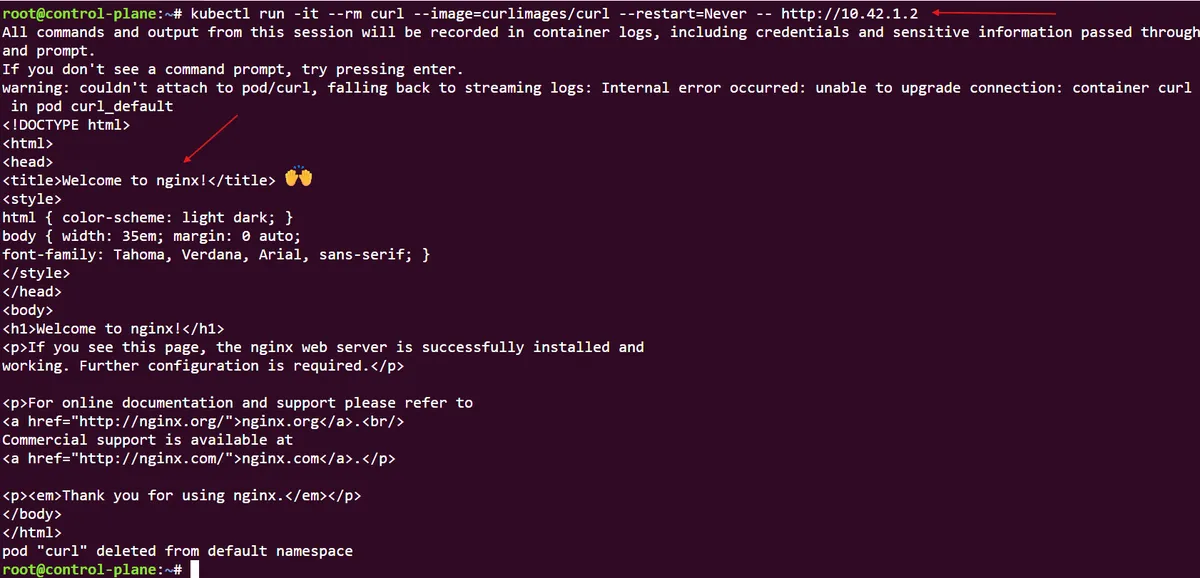
Another interesting way for us to access the nginx pod is by spinning up a curl pod in the same cluster, and using it to query it the nginx IP. In this command we specify that we will run the container interactively, it will use the official curlimages/curl Docker image, and that we set the command parameter to use our nginx IP address. And voila, we can easily reach our nginx pod from an adjacent curl pod:
In this post, we have explored how to deploy, configure and interact with Kubernetes pods imperatively through step-by-step commands. In part 2, we will explore how to use declarative states to configure Kubernetes pod deployments.
thanks for reading,
Mehmet