Linux by Fire Part 3: System Encryption with LVM
In the last part of this series I successfully partitioned my Arch Linux system. In this part I will now encrypt those partitions using dm-crypt and set up the logical volumes. If we look at the official Arch Wiki Linux page on what dm-crypt is, it describes it as:
A transparent disk encryption subsystem in the Linux kernel... it is implemented as a device mapper target and may be stacked on top of other device mapper transformations. It can thus encrypt whole disks, partitions, logical volumes, as well as files. It appears as a block device, which can be used to back file systems, swap or as an LVM physical volume
A bit wordy. What does this mean? Well essentially LUKS or Linux Unified Key Setup provides a standardised format for encrypting our drive with a passphrase (or multiple passphrases). In combination with LVM (remember Linux Logical Volumes from the previous post), we can create a single encrypted partition on our drive that contains multiple logical volumes. This allows us to encrypt the container once, rather than having to go through the pain of managing separate encryption for each volume individually.
Fortunately for me, the Arch Linux wiki has a dedicated page specifically for using LUKs in combination with LVMs. Let's get started.
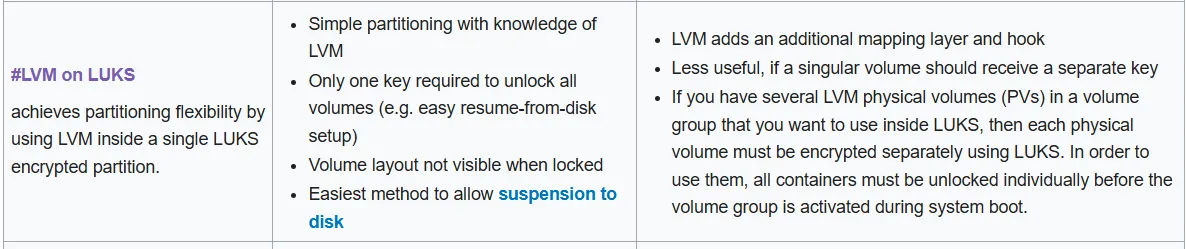
LVM on LUKS
To begin, looking at the Arch Wiki guide I can see that one of the first tasks is to create the LUKS encrypted container at the designated partition. If I run lsblk again to look at the list of my system partitions I can see that as the largest, and nvme0n1p2 will be the best candidate for this, given that nvme0n1p1 is used as our 1GB boot partition right now.
First I run cryptsetup luksFormat /dev/nvme0n1p2 which will give us a warning that the data on this partition will be wiped. After confirming, I enter a passphrase that will be used to encrypt the Master Key, which is generated randomly through the LUKS encryption process.
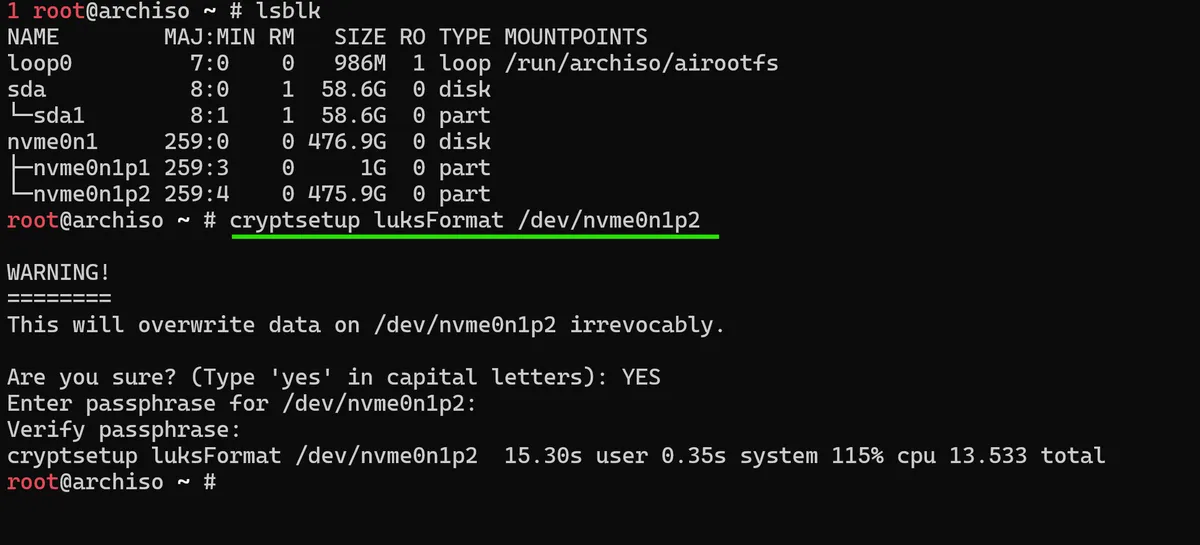
To check that this indeed worked, we can run the cryptsetup open /dev/nvme0n1p2 command, which will tell our system to read the LUKS header on the partition, and use our passphrase to decrypt the Master Key stored in that header:

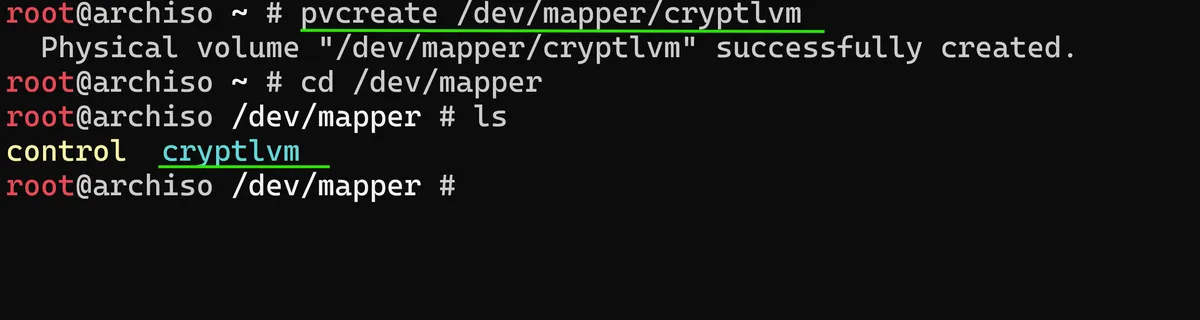
This essentially makes the (now) decrypted container available at /dev/mapper/cryptlvm which means we can treat it as an unencrypted drive, format it and create LVM volumes within it. To create the logical volume on top of the, now, opened LUKS container we use:
pvcreate /dev/mapper/cryptlvm
The pvcreate or physical volume create command initialises the LUKS container as the physical volume for LVM. The /dev/mapper directory is where the device mapper subsystem, which dm-crypt is a part of, actually creates virtual block devices. When we opened the LUKS container with our passphrase, the decrypted device was made available as cryptlvm. If I navigate to the directory now, I can see that it is present alongside any other mapped devices on the system.
I am now able to create something called a Volume Group (VG) which can be imagined as a mixing bowl for all of my systems physical volumes and individual storage spaces to be merged together, into one unified pool of space. This allows us to then create our Logical Volumes (LVs) by carving out space from this VG pool.
In Turkic folklore, Altay is used to describe a place of majestic origin🏞️. It's what I named the mini-pc that Arch is being installed on, so for this reason I will also use Altay to name the volume group:
vgcreate altay1 /dev/mapper/cryptlvm
Now with this Volume Group created I can create logical volumes within this altay1 Volume Group which will be formatted afterwards:
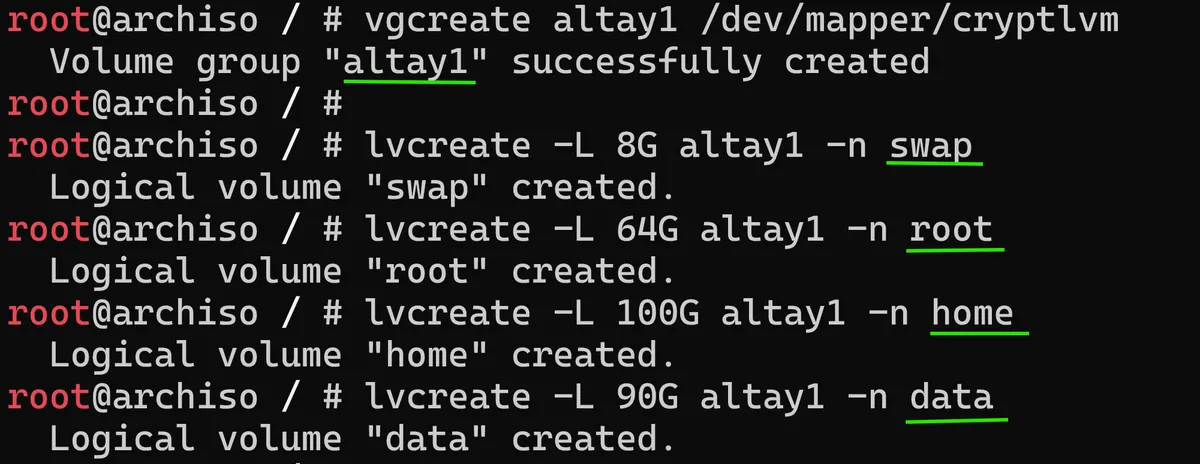
If I now run lvdisplay I can confirm that I have created 4 different volumes within the altay1 Volume Group, with their own specific Volume Size allocations:
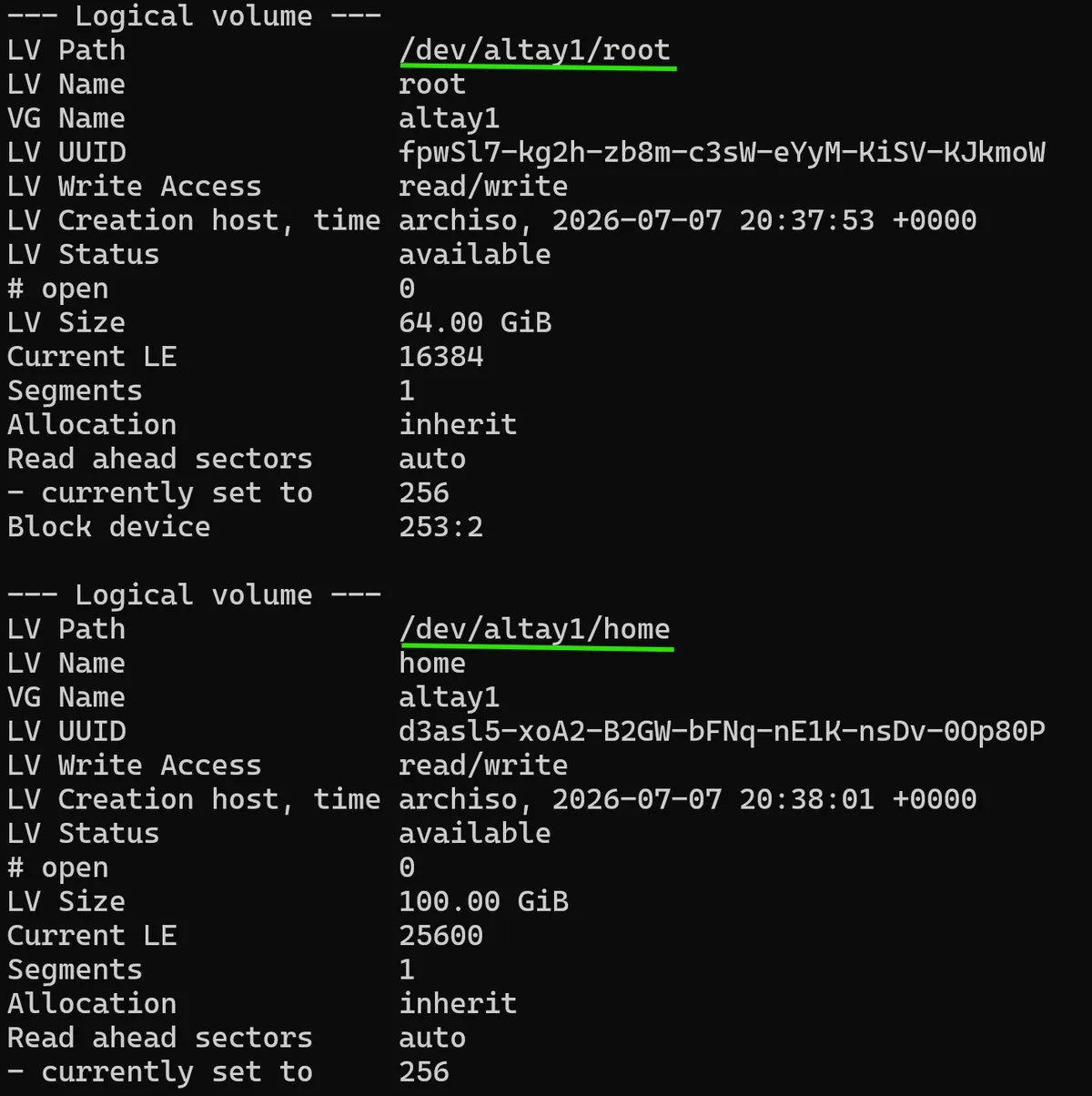
With 512GB of space on my GMK mini-pc, I've allocated 8G for swap, 64G for root, 100G for the home volume and 90G for the data volume. This leaves 250GB of empty, unallocated space for the future to play with.
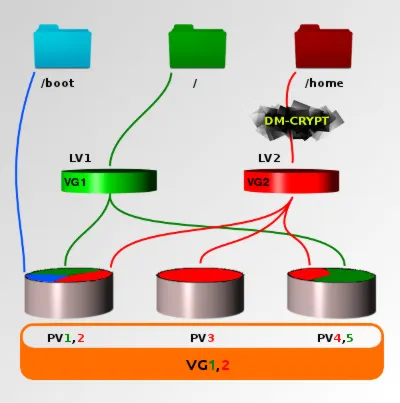
When we create a partition or logical volume, we must format a file system onto it so that our operating system can actually read or write the data that will be stored there. Without a file system, the storage device is just a raw block of bytes that our Arch OS cannot interpret.
For this formatting step, I'll be making use of the mkfs command, which stands for make file system. The mkfs command is used as a family of different tools to write to specific data structures. In my case, I'll be making use of the mkfs.ext4 or make file system for Fourth Extended File System or Ext4, which is a default and commonly used file system amongst most modern Linux distributions.
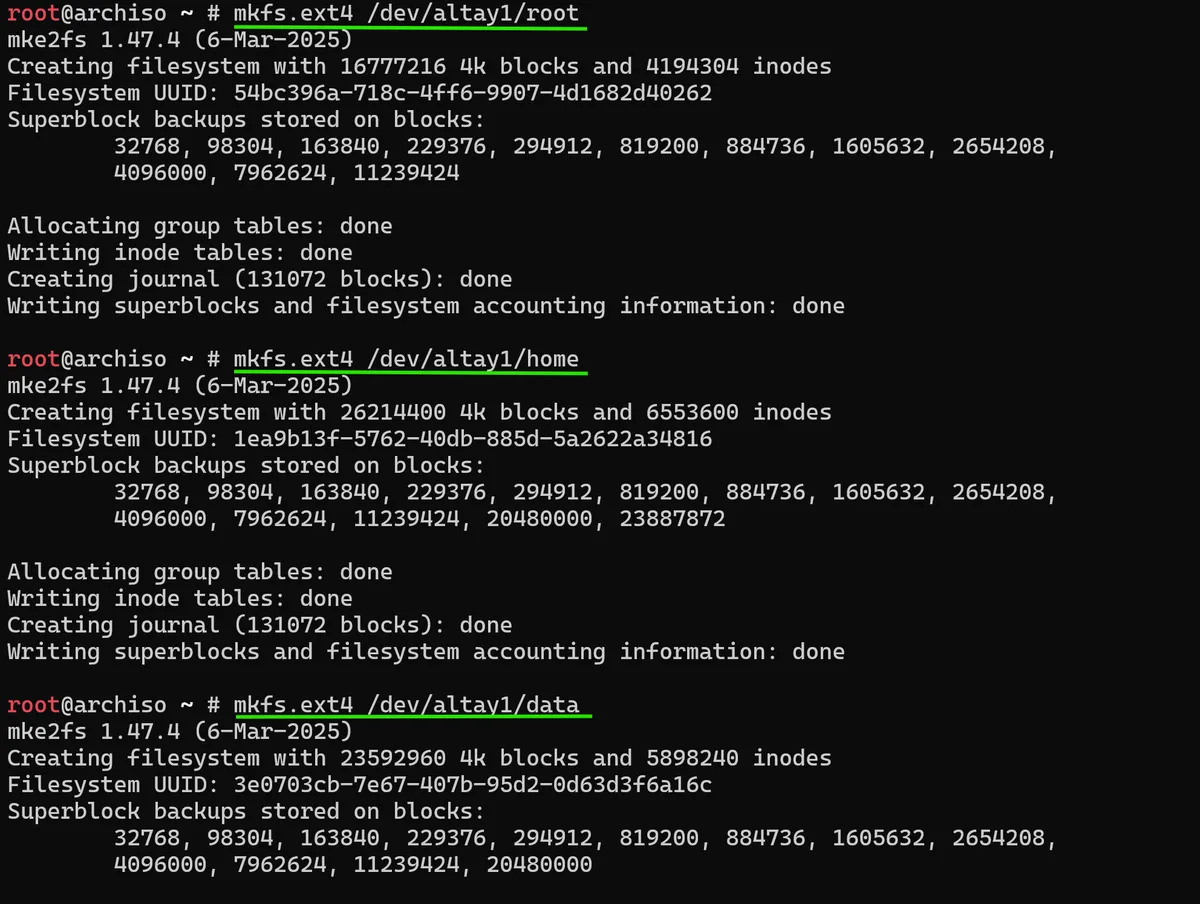
The command for each logical volume will be the same, using mkfs.ext4 apart from our swap volume which will use mkswap to create a raw, unstructured space that the kernel can directly use as an extension of RAM in case more virtual memory is required:

Now I need to prepare the boot partition for our system. Unlike the LUKS-encrypted container we previously set up, the boot partition must remain unencrypted.
This is because the system needs to read the boot loader, kernel and also the initramfs (Initial RAM Filesystem - an ephemeral, memory based root filesystem that the kernel mounts during the boot stage) before it can ask for my LUKS passphrase. If I encrypted this boot partition the system wouldn't even be able to start properly.
First we need to make a FAT32 filesystem on the boot partition:
mkfs.fat -F32 /dev/nvme0n1p1
This targets the 1G boot UEFI partition we configured earlier, as FAT32 is required for the UEFI system partitions as all UEFI firmware can read it. We then mount this to /mnt/boot using:
mount --mkdir /dev/nvme0n1p1 /mnt/boot

Mounting is a nice system used by Linux to actually make block devices accessible. While each of the volumes may have been created on the disk, they are not usable by the Arch OS until I explicitly mount them to a directory where I can then reach them. With that not created and mounted, if I run the df -h command
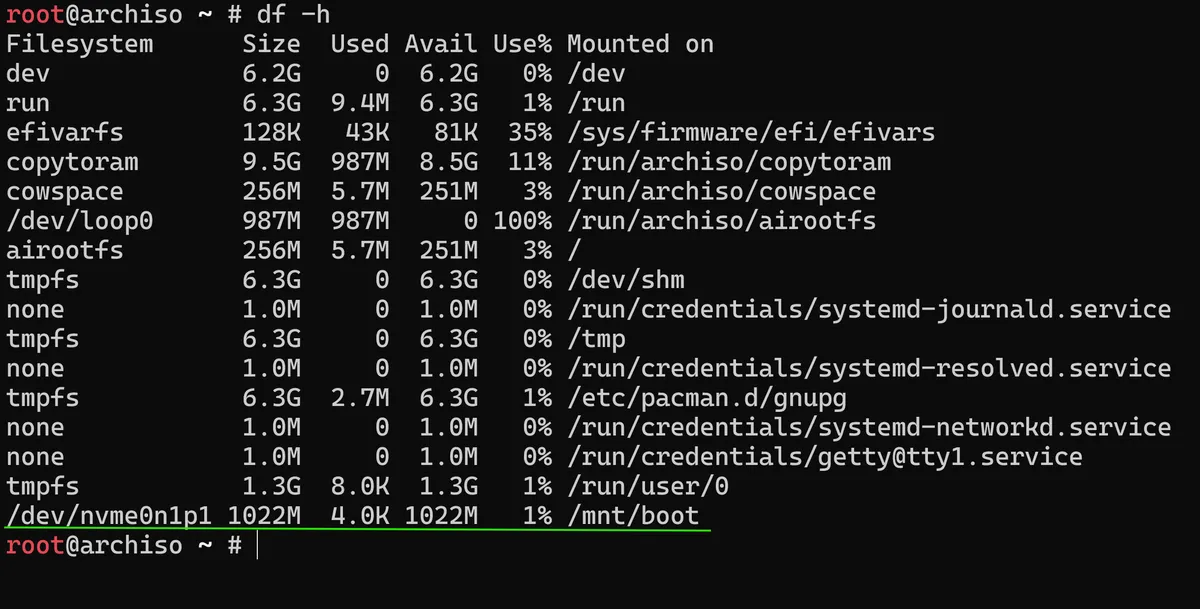
that outputs all of our filesystem, we can see the /dev/nvme0n1p1 boot partition that I have just mounted:
In this post I have walked you through successfully encrypting my system partitions using LUKS, setting up LVM on top of the encrypted LUKs container before creating the logical volumes that are now formatted and mounted in a way so that they can be accessed and reached, while only needing a single passphrase at boot to unlock everything.
In the next post I'll be working on the /etc/fstab (file system table) to define exactly how these volumes should be automatically mounted when my Arch Linux system starts.
As always thanks for reading,
Mehmet