Linux by Fire Part 5: Networking

Configuring Networking on Arch Linux
So far in this series, I've gotten my Arch system up to a decent point where it has been partitioned correctly, has encryption and LVM configured and several vital Linux packages and utilities like vim and man installed. It symbolises a foundational but very basic OS. The principal part that is missing from this is networking capabilities.
As it stands, right now, I have both my daily driver laptop and my Arch mini-pc plugged into the same router via Ethernet cable. As both systems are on the same network, it's been simple for me to run an ssh root@192.168.10.92 from my laptop and work on this Arch Linux build on the mini-pc.
However, there is still a deficiency in my system. Without this cabled connection, on a reboot the system would not have any packages to connect to the internet and nor would it have any network configuration to handle egress or ingress traffic to the internet.
So what I need to do, as I am chrooted into the system, is make sure that the correct configuration and packages are set up so it doesn't have to rely on this ethernet connection and can use Wi-Fi.
While it is possible to rely on Linux's network manager to configure our networking schema, for the purpose of improving our Linux skills and understanding how the OS works at a foundational level, I am choosing to focus on using systemd for networking instead.
What is systemd?
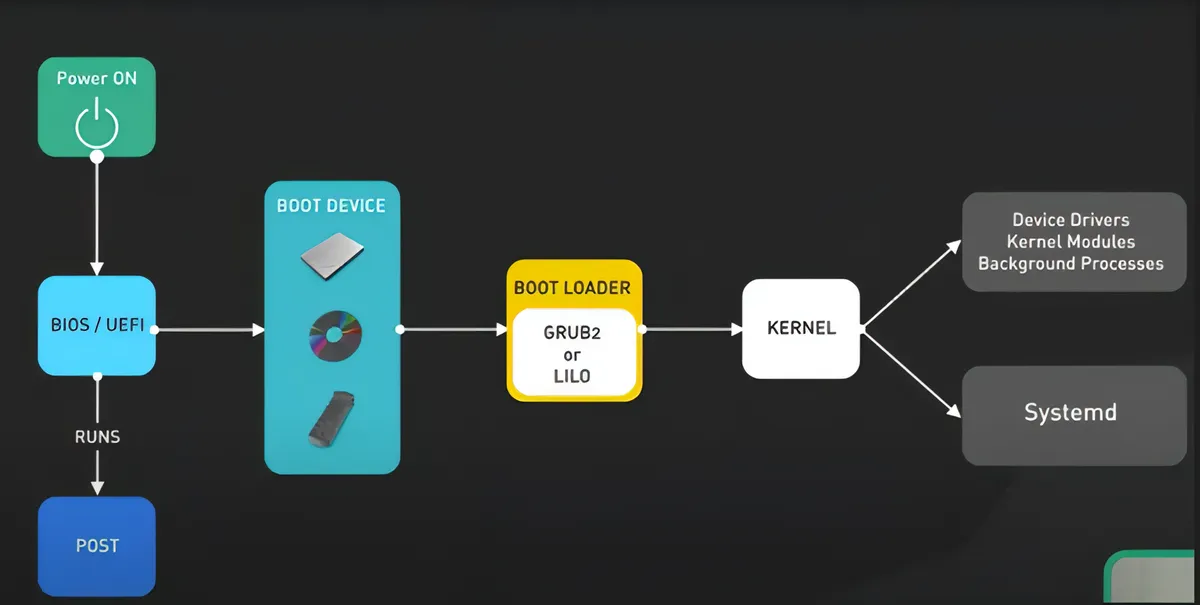
Systemd is the modern init process. When you boot a Linux system, or any computer system, the first thing that occurs is POST - which searches for any BIOS installed on the motherboard. When it loads the BIOS it will see if there are any operating systems installed on the disk via the bootloader, and when the boot loader loads something that can be booted, like an OS, the first process that begins is the init process.
Historically, SysV (System V) init was the first, traditional Unix/Linux initialisation system that booted the operating system and managed background services using the process ID of 1. After some time, this standard was replaced by systemd which caused a rift in the Linux community.
Some people within the community complained that systemd violated the most fundamental UNIX philosophy of a single component doing a single job very well, whereas systemd is more comparable to a Swiss army knife - with logging, networking, cron and a multitude of other things handled by the suite.
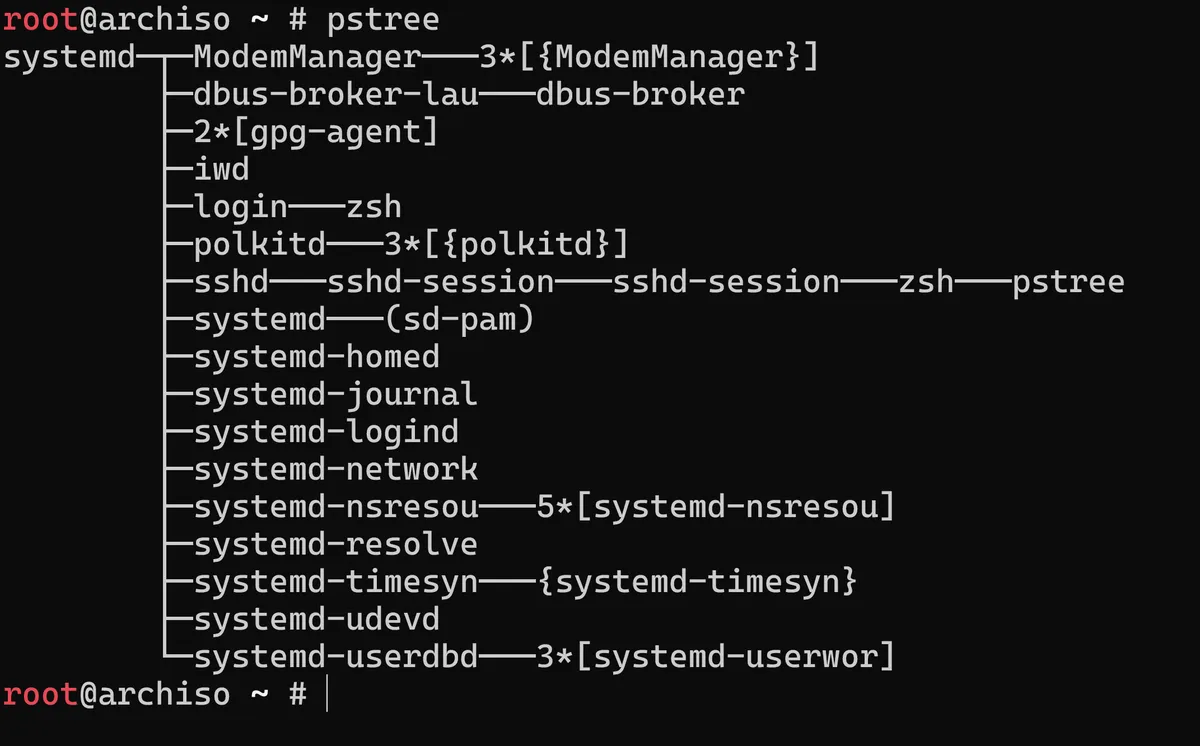
Today, almost all modern standard Linux distributions use systemd for their Linux processes. Systemd is extremely powerful. To interact with it you use the systemctl command, which works with unit files or systemd units. When a computer boots up, it looks for an operating system and that OS needs to begin its journey somewhere. The beginning of this is systemd. If I run a pstree in my Arch system shell, we can see that all other policies spawn from systemd as the origin:
Systemd includes its own suite of networking tools such as systemd-networkd for network configurations and systemd-resolved for DNS resolution. Not only are these lightweight and integrated perfectly with the rest of systemd service manager, it will give me more finer-grained control over my Arch network setup, with the ability to dive deeper into how exactly it works without the hand-holding that NetworkManager provides.
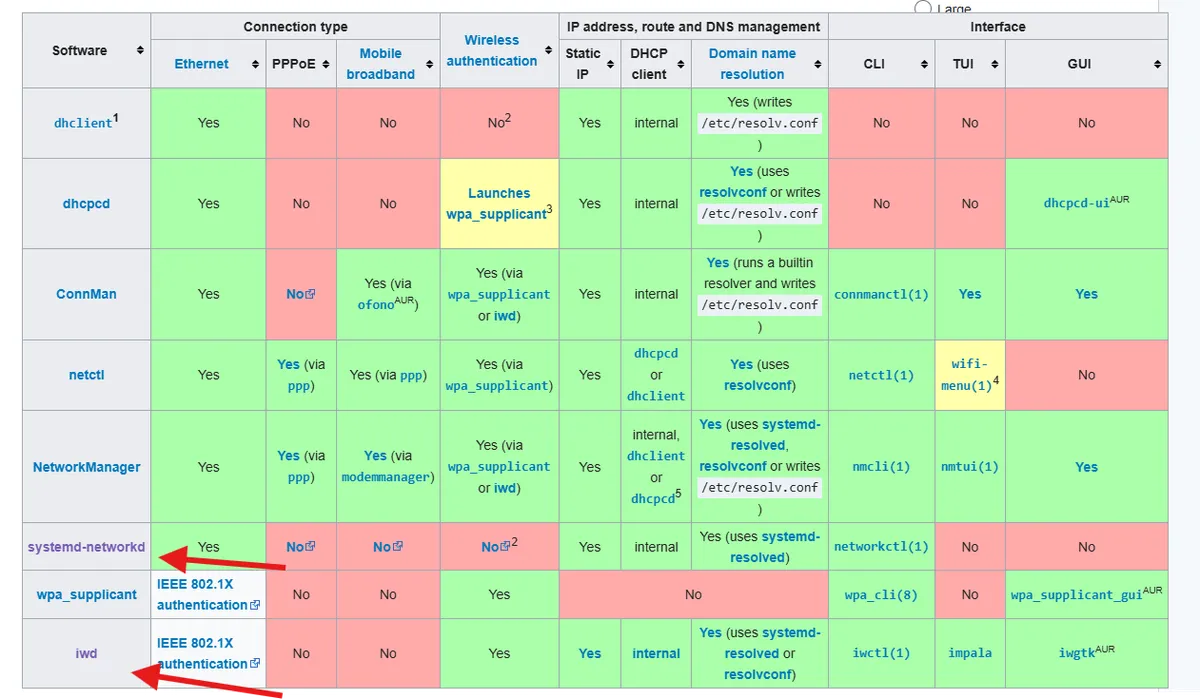
Taking a look at the helpful table I can see both the aforementioned systemd-networkd but also the iNet wireless daemon or iwd daemon out of the list of network managers that the Arch wiki recommends. The systemd-networkd page specifies:
The systemd package is part of the default Arch installation and contains all needed files to operate a wired network Wireless adapters, can be setup by services such as a wpa_supplicant or iwd
Hence, in combination with systemd-networkd, this is exactly what I will do.
Configuring systemd-networkd and iwd
After first running arch-chroot /mnt to change into the root folder, as per the arch wiki documentation, to enable systemd-networkd on my system I run the following command:
systemctl enable systemd-networkd.service
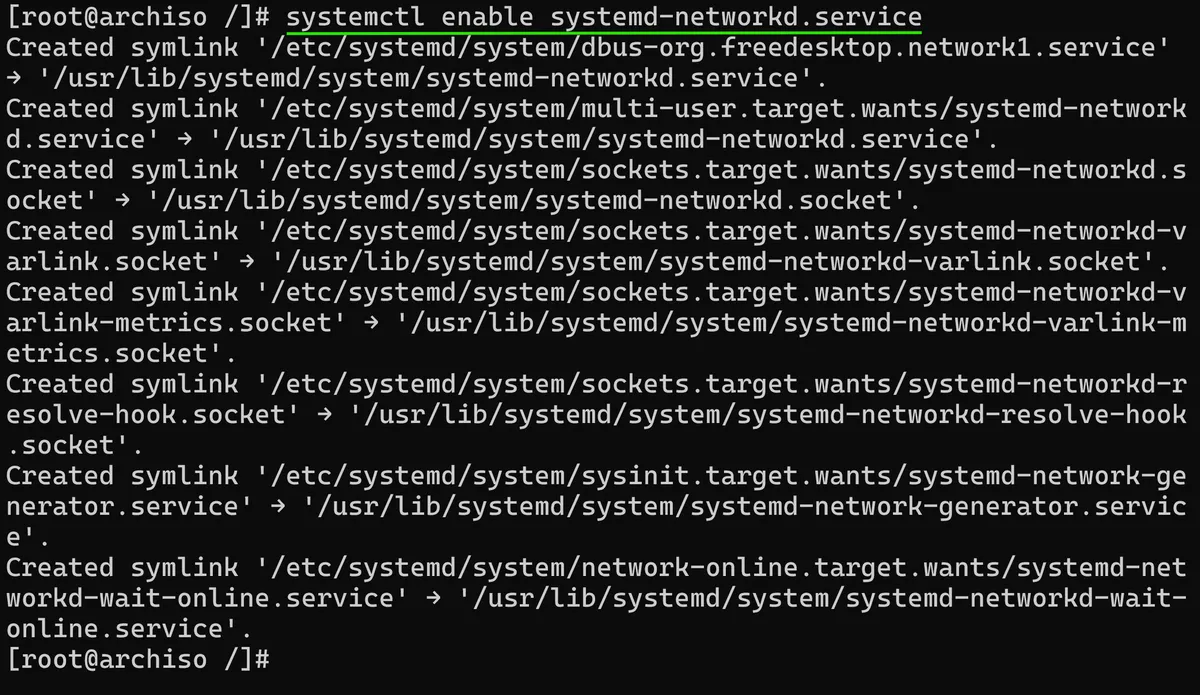
This creates a set of symbolic links (symlinks) which point to specific files related to the functionality of the systemd-networkd service. Enabling a service, means that when the system is booted up (as mentioned, stemming from the systemd process ID of 1) it will start automatically. A crucial part of this service working is also making sure that the systemd-resolved service for network name resolution (DNS) is also enabled on the system. To do this I run:
systemctl enable systemd-resolved.service
Which, similarly creates several symlinks to specific files to enable the resolution service. Remember how everything in Linux is a file? Well for me to add a network file to the systemd directory, and actually set up a wireless network connection, first I need to know the name of the interface that I will be using to connect to the internet. I can get this from running the ip link command which reveals all the network devices currently available on my Arch mini-pc system.
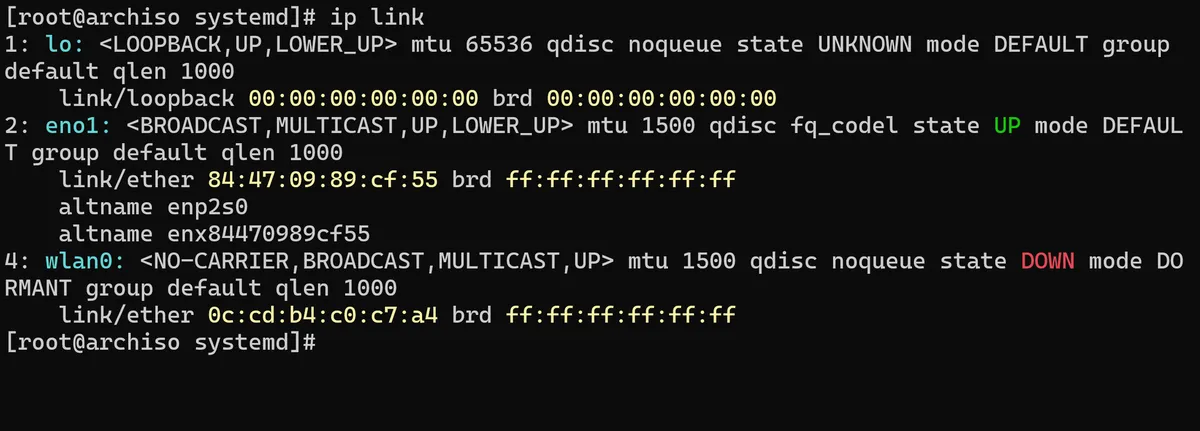
There is the eno1 which is the network device I am currently using for internet connectivity via ethernet, but there is also the wlan0 interface which is the one that will be connecting our system to the internet using Wi-fi. I can now create a file within the systemd directory touch /etc/systemd/network/25-wireless.network. Using vim, I can open the now empty file before adding in the following configuration:
[Match]
name=wlan0

[Network]
DHCP=yes
IgnoreCarrierLoss=3s
What this will do is match the network interface I found using the ip link command and allow automatic ip address assignment using DHCP. The IgnoreCarrierLoss=3 setting (shown in the Arch wiki's example of a wireless adapter setup), will ensure that systemd-networkd will not reconfigure the interface for 3 seconds if the wireless network signal drops.
The final thing left to do is to make sure the iwd wireless daemon I mentioned previously is enabled on the system. I use the pacman package manager tool to install this:
pacman -Syu iwd
Before enabling the iwd service systemctl enable iwd.service
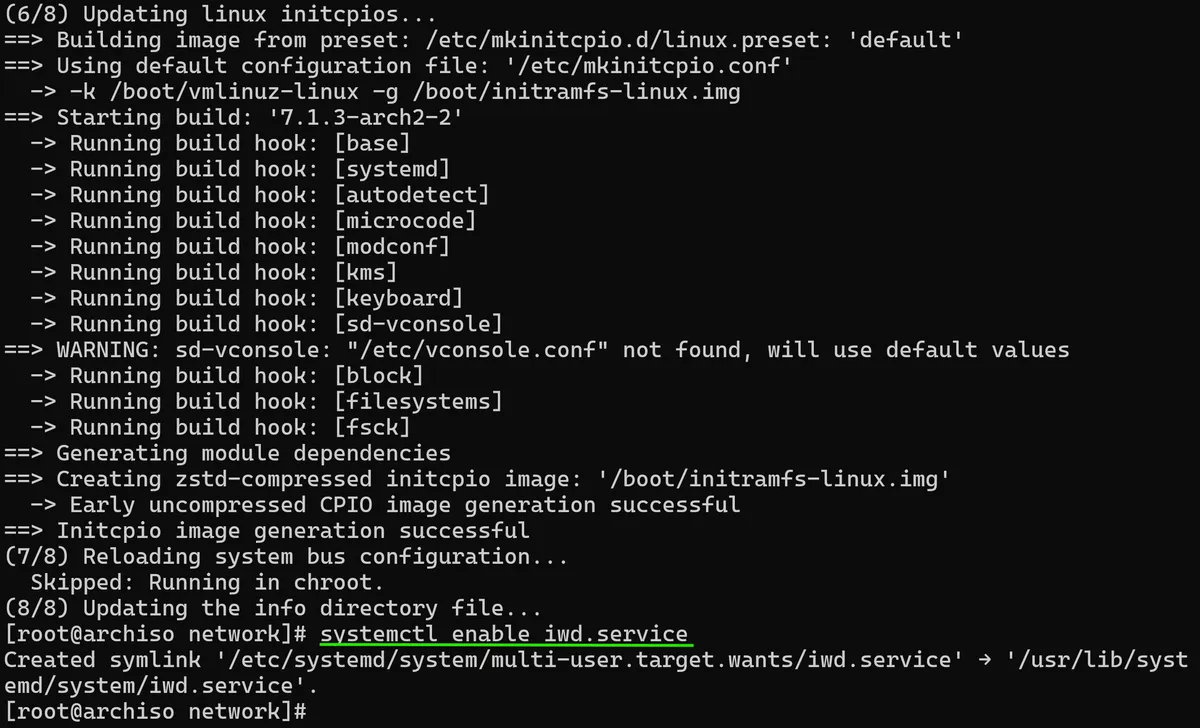
So now, networkd, resolved and iwd will all be started automatically when I reboot my mini-pc, and these are all the packages I actually need to connect to the internet - especially using Wi-fi. With networking now solidly in place, my Arch system is no longer dependent on a physical Ethernet tether and can connect to my Wi-Fi network independently.
Thanks for reading as always,
Mehmet