Linux by Fire Part 6: mkinitcpio

What is mkinitcpio?
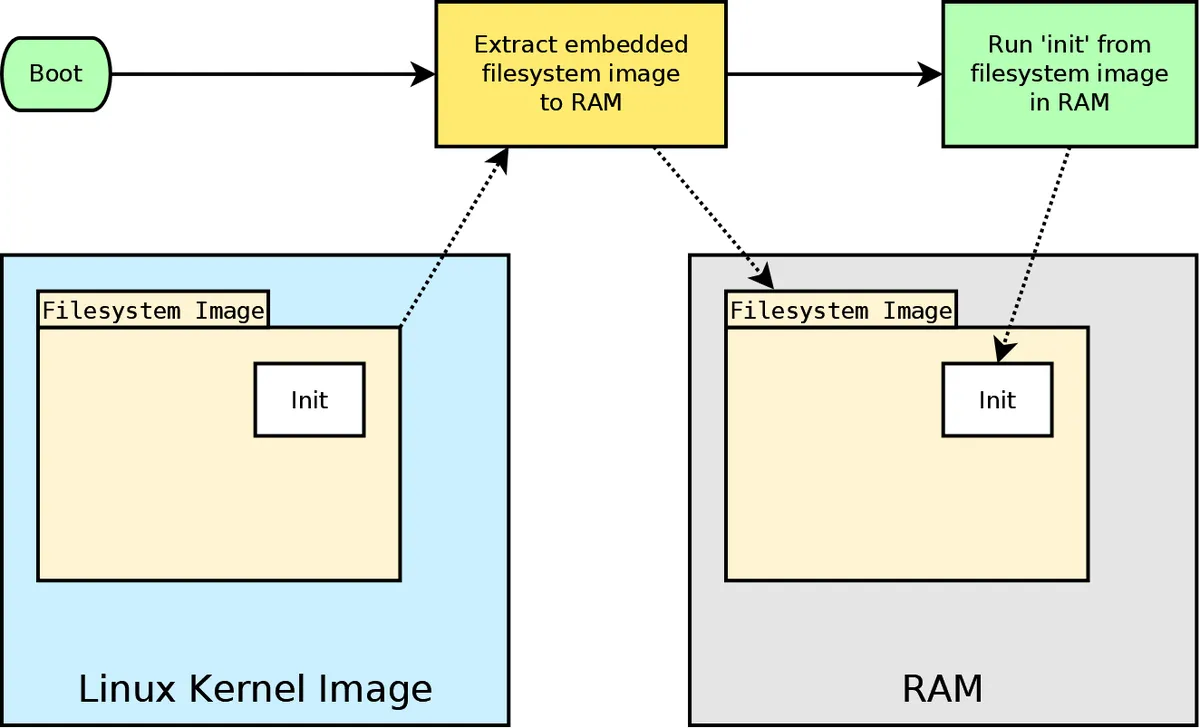
According to the Arch documentation, mkinitcpio is a script that is used to create initramfs images. No I didn't just elbow drop my keyboard and spit these words out as random characters, let's explore what this actually means. Initial RAM file system or initramfs is a temporary root filesystem that is loaded into memory during a Linux boot process. The initramfs contains all of the tools, drivers and utilities needed to mount our real root filesystem.
If the root filesystem is encrypted (like I have with my systems LUKS on LVM) a problem emerges when using initramfs. The kernel can't just mount our encrypted LVM volumes directly, as their encrypted nature means they require special tools to unlock or assemble each of my drives before the real system can start.
This is where initramfs becomes critical; it needs to know the exact drivers and utilities for my specific setup, but default initramfs that mkinitcpio builds doesn't automatically know what is needed. Enter hooks (hence the Zelda hookshot gif at the start of this post). hooks or hook scripts are executed during the generation of the initramfs image and are responsible for behaving like a plugin that tells mkinitcpio which specific tools to pack into the initramfs image. If we're using encryption, we can use the encryption hook, if we are using LVM, then we add the LVM hook.
Using mkinitcpio hooks with LVM
In the case of my mini-pc and the LVM system I've spent the past few blog posts configuring on it, as per the Arch documentation there are a specific set of hooks that I will need to run for it. For the default systemd-based initramfs I will first need to add the keyboard sd-encrypt and lvm2 hooks to the mkinitcpio.conf file - notice the sd-encrypt keyword included in the hook:
HOOKS=(base systemd autodetect microcode modconf kms keyboard sd-vconsole block sd-encrypt lvm2 filesystems fsck)
First I navigate to the /etc/mkinitcpio.conf and look for the HOOKS section of the file.
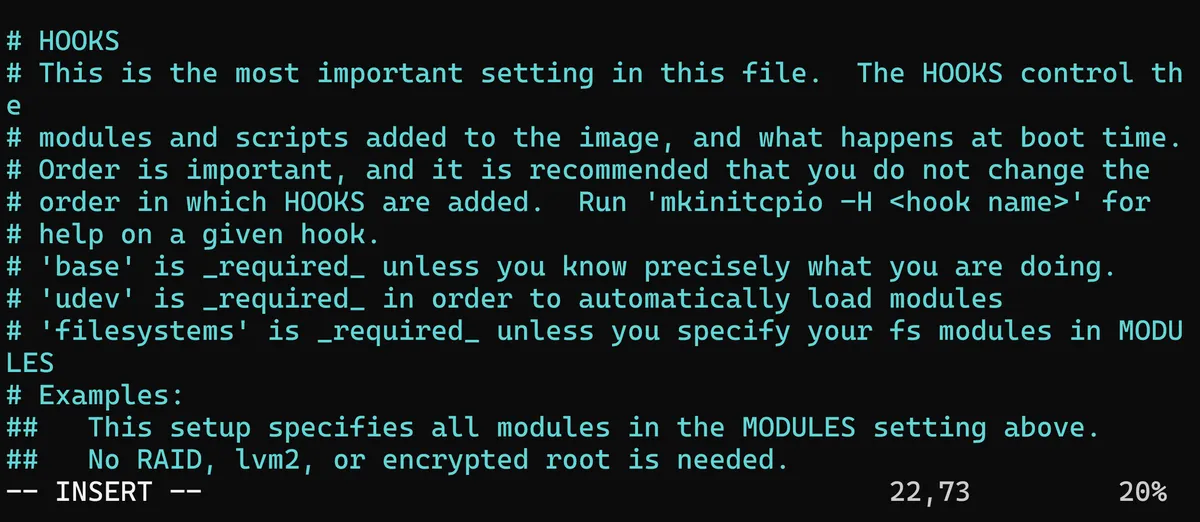
After finding this I can paste in the systemd hook configuration from the Arch wiki:
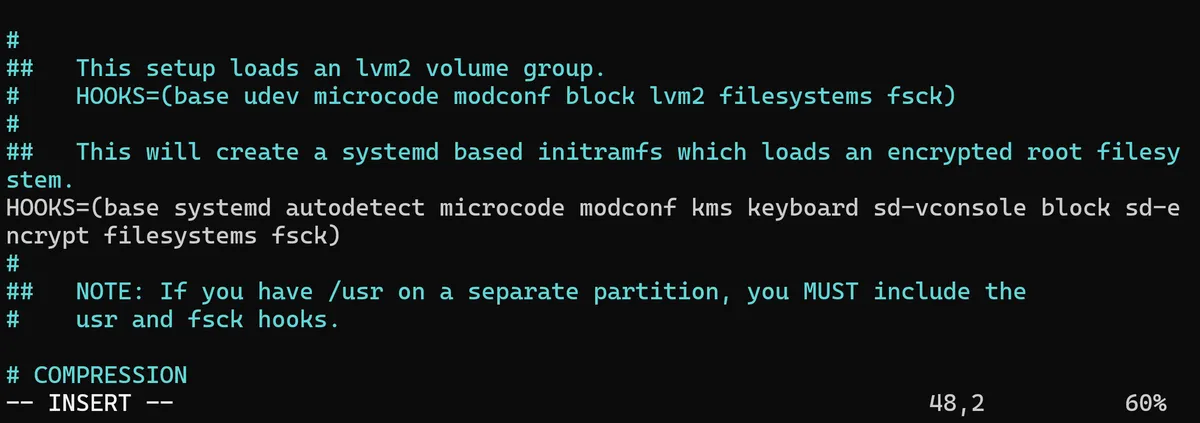
After saving my additions to the file and exiting the mkinitcpio.conf file, for this new hook to take effect I now need to regenerate the initramfs. I can manually do this by running the mkinitcpio -P command:
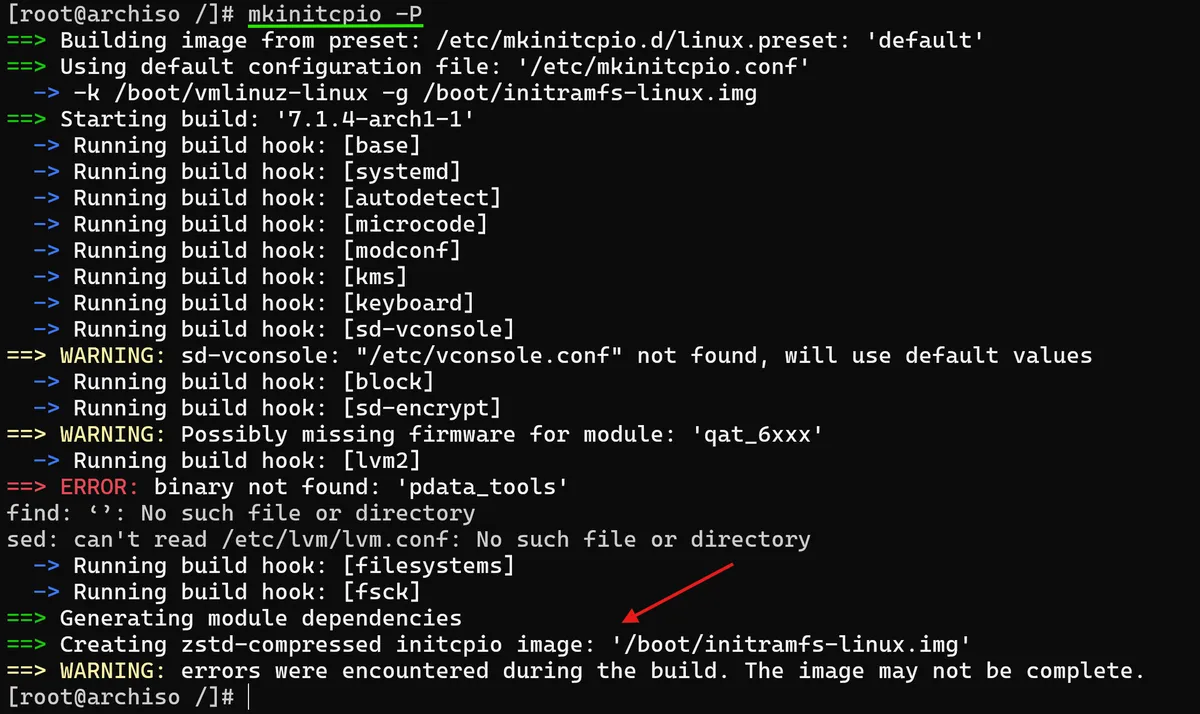
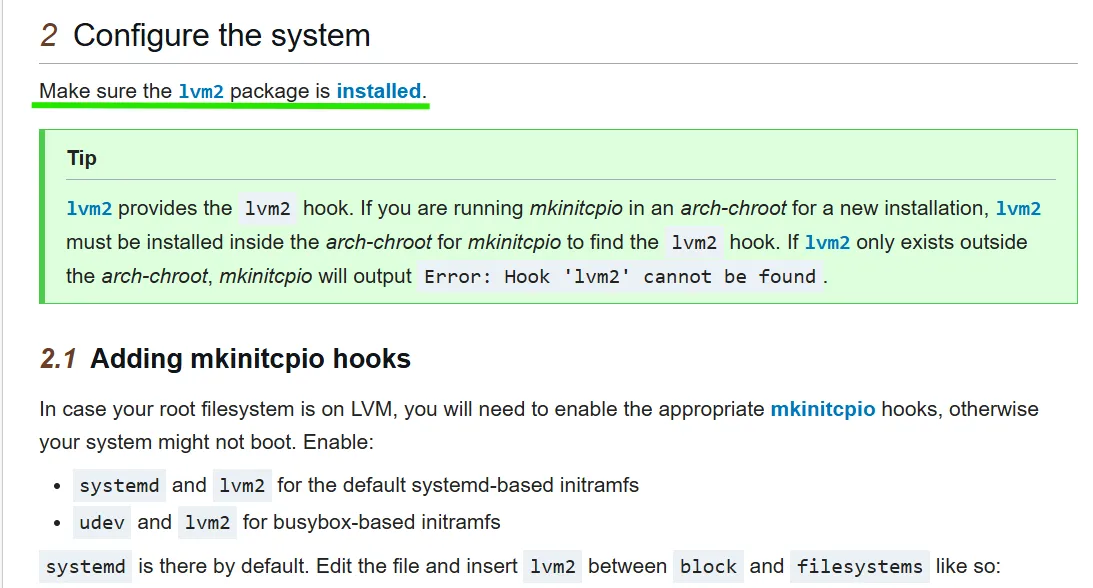
Helpfully, the feedback from the command will inform us if anything has gone wrong with the new generation of the initramfs image, which in my case has flagged up and means I've made a mistake in the configuration! Zooming in on the logs, I can see that it mentions /etc/vconsole.conf not found but more critically ERROR: binary not found: 'pdata_tools - sed: can't read /etc/lvm/lvm.conf: No such file or directory' . Looking through some of the Arch Linux forums, I can see that Arch actually gave a clear warning about making sure the "lvm2 package is installed", which I missed.
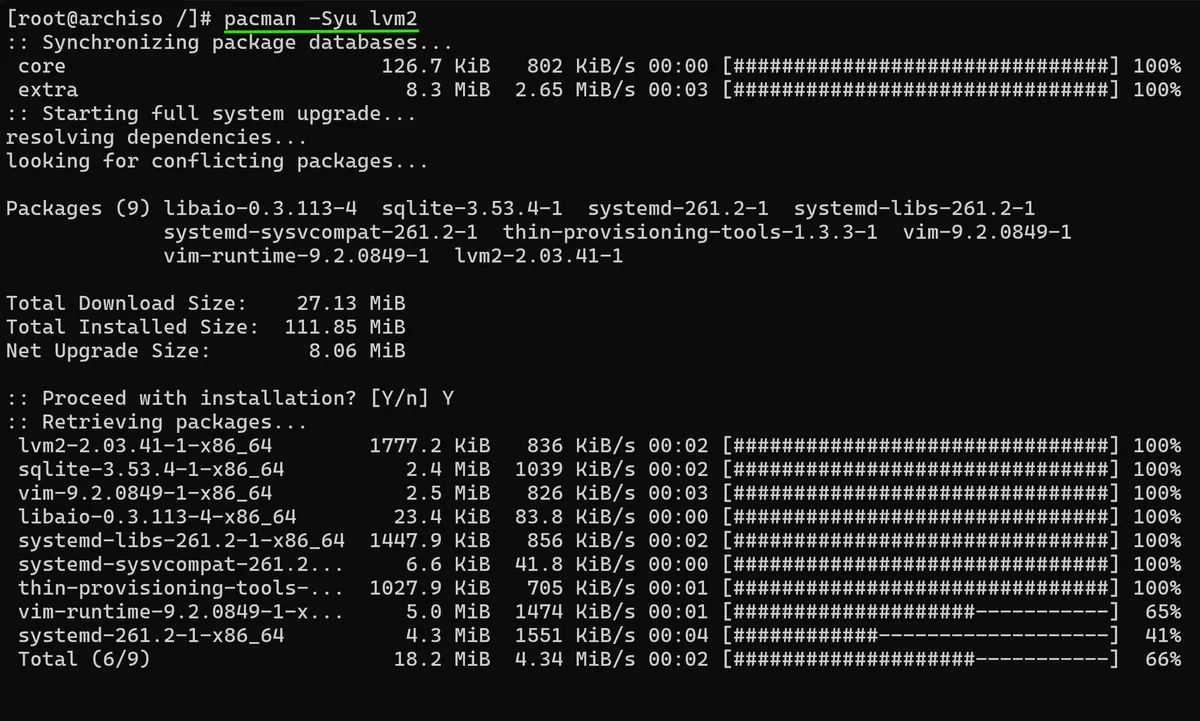
Using the pacman package manager command pacman -Syu lvm2, straight away I can see that new packages are ready to be installed on my system, meaning I really did forget to install this critical lvm related hook:
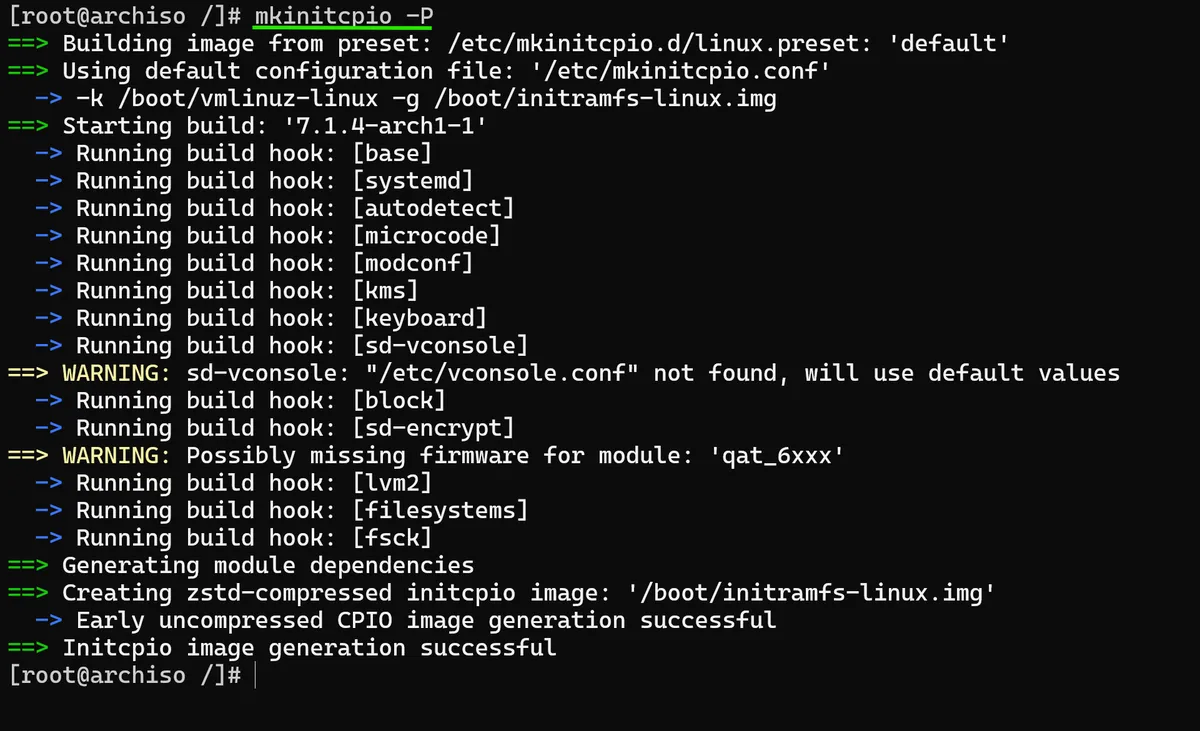
If I now run the mkinitcpio -P command once more, I can see now that it has successfully generated a brand new initramfs-linux image with all of the hooks that I specified in the mkinitcpio.conf file.
In the next post of this series, I will create the actual boot loader which means we will have an actual bootable, working version of Arch Linux for the first time.
As always thanks for reading,
Mehmet