Linux by Fire Part 8: Installing Bluetooth on Arch

So far in this series, I've made good progress with my Arch build but it is still very basic. One of the core things missing from my system is Bluetooth. I am still using SSH to connect and interact with the build, but I would like the ability to be able to connect my Bluetooth mouse and keyboard when I install a desktop environment or tiling compositor on it. I don't have my Bluetooth devices on hand so, for demonstration purposes, for now I'll try to connect to my iPhone using Bluetooth from Arch.

If I browse to the Bluetooth Arch Wiki docs I can see the installation looks pretty straight forward with several package bluez package installations and service configurations. Bluez is the official and canonical Bluetool protocol stack for all Linux operating systems. It consists of Bluetooth drivers that are actually inside the Linux kernel and a specific management daemon (bluetoohd) which communicates with the rest of the system via D-bus.
I start this by first installing the bluez-utils package using pacman:
sudo pacman -Syu bluez-utils
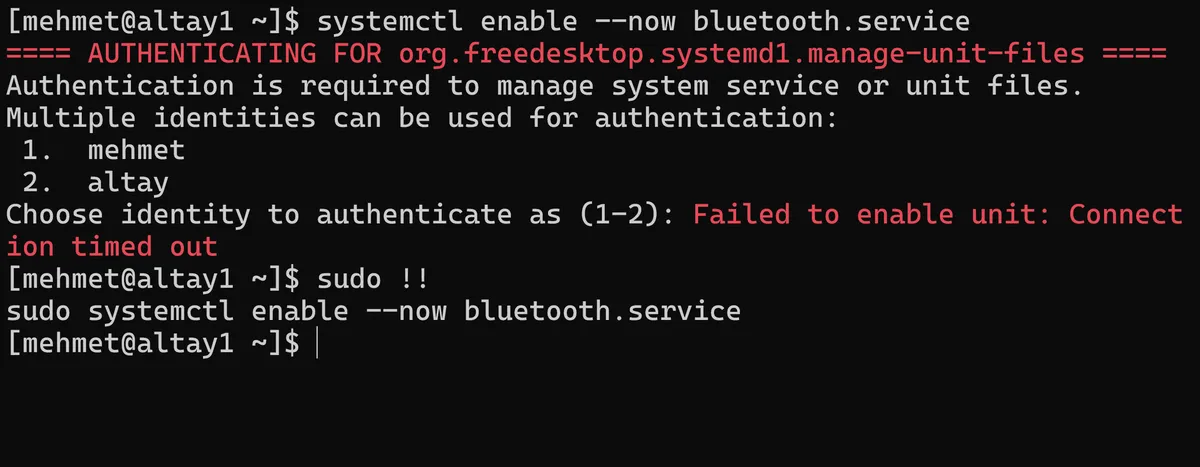
This is followed by using systemctl to actually enable the bluetooth service using systemctl enable --now bluetooth.service. Because it is a system service, I will need to authenticate for this to work using sudo (using sudo !! is a nice trick if you want to repeat the same command but with sudo).
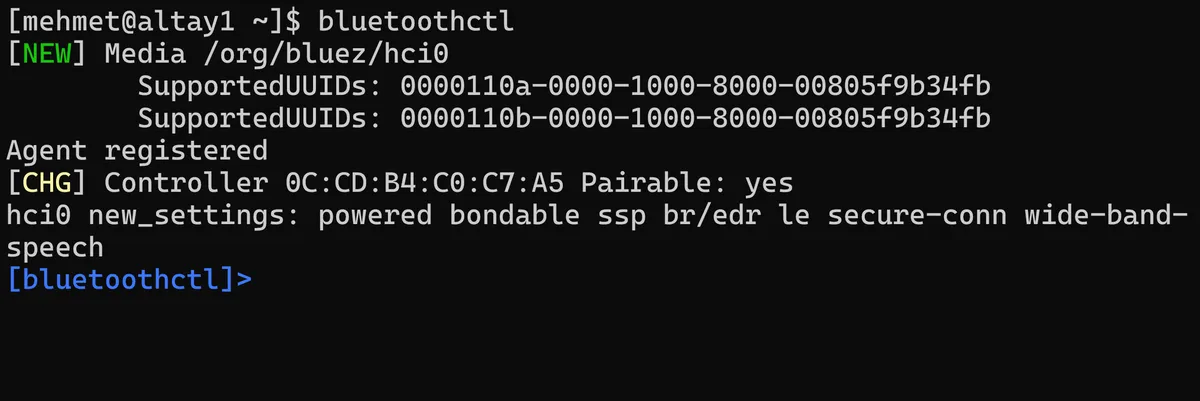
If I run bluetoothctl we can see that it is now available. The Bluetooth daemon (bluetoothd) has detected my systems Bluetooth adapter registered "Media" as the endpoint in the D-Bus system that manages it.
In the Bluetooth -h help mode, after taking a look through documents for bluetoothctl mode, I run a scan on. Looking at my Iphone settings, I can see the Bluetooth address listed as F8:42:88:59:EB:C8 so this is what I'll be on the lookout for.
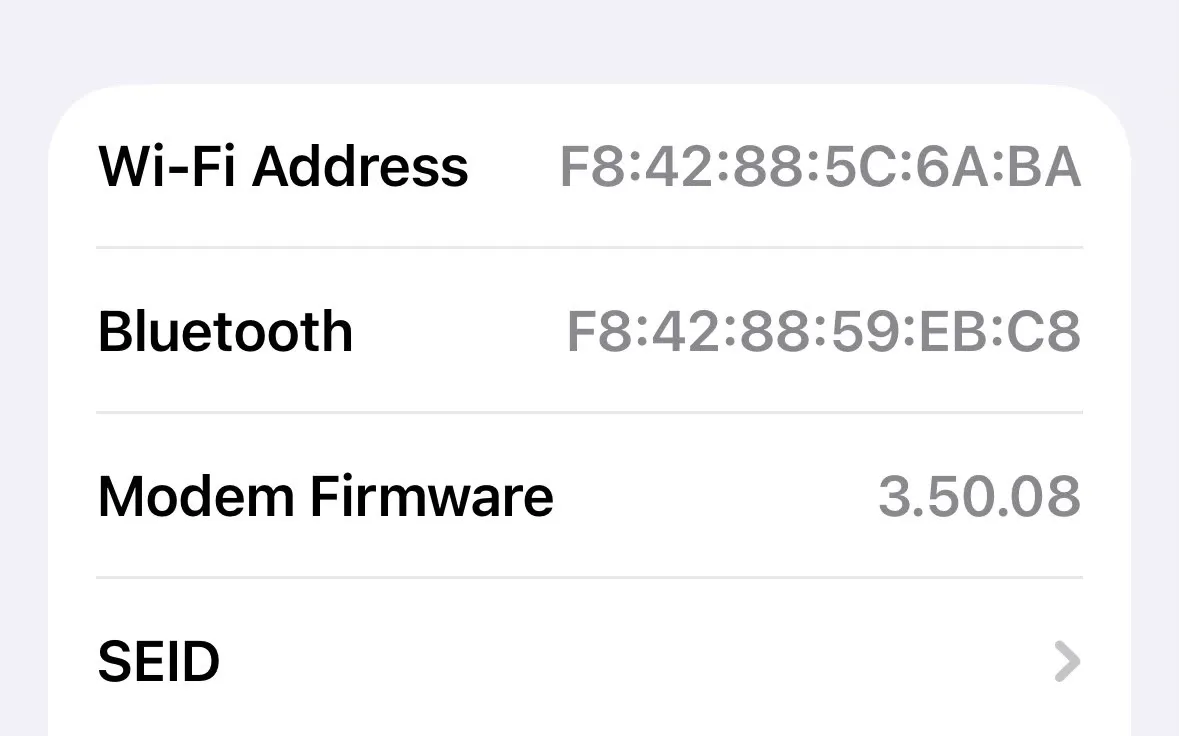
When in bluetoothctl mode if I run both a scan on to begin the Bluetooth scanning process and devices command to list available devices, after a few moments I can see my Iphones F8:42:88:59:EB:C8 address listed in the output of these commands.
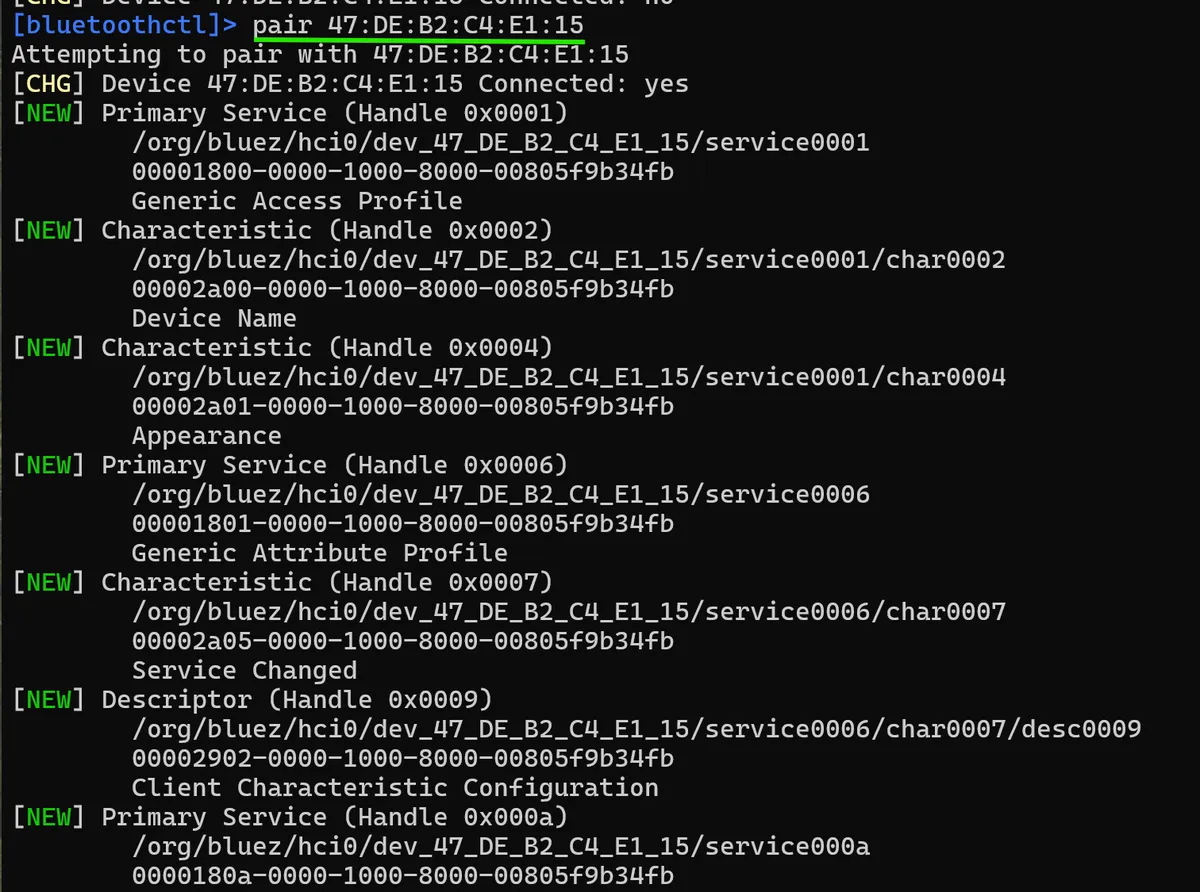
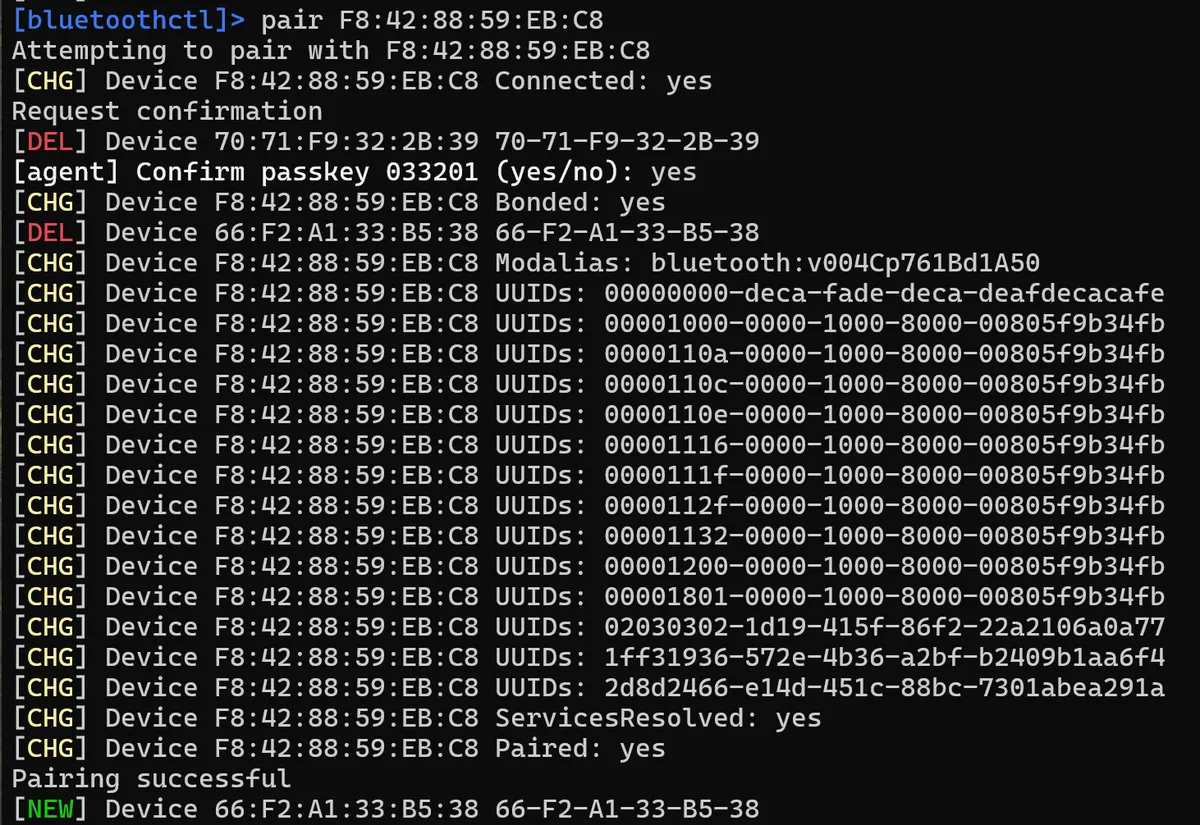
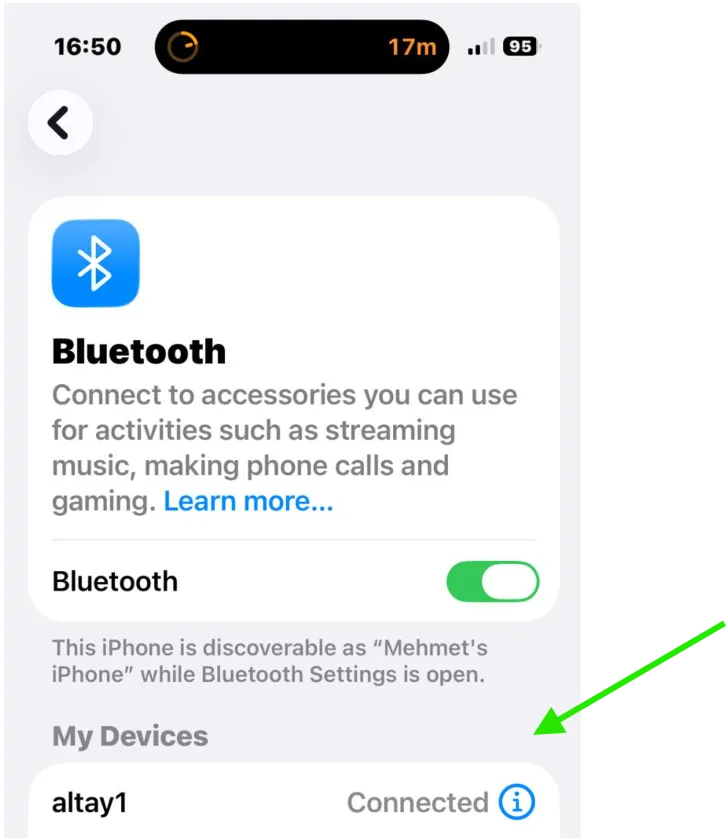
I should now be able to run bluetoothctls pair command to now connect to my Iphone. After confirming the passcode on my Iphone, my Altay1 Arch machine is now connected to my Iphone (though as mentioned there is not loads I can do with this, but it's a pretty neat for demonstration purposes).
Installing Bluetooth on Arch is actually pretty straightforward, but understanding what's happening under the hood has given me a new appreciation for a technology we use so often throughout the day that it can seem almost invisible.
The BlueZ stack has given me a canonical Linux Bluetooth implementation that is split across two systems; kernel drivers that handle low-level hardware communication, and the bluetoothd daemon, which manages pairing, connections, and device discovery through D-Bus. While pairing my iPhone has mostly been a proof of concept, the real payoff will come when I install my desktop environment and sync my wireless mouse and keyboard to the system with a full understanding of exactly how this process works.
Thanks for reading,
Mehmet