Linux by Fire Part 9: Security on Arch
Our Arch Linux install is still very bare bones. It doesn't have any security configuration with partitions, networking and a boot loader configured. To finish our installation we can follow the general recommendations as per the Arch wiki - some of these I've already set up, like using a specific user with elevated privileges, as opposed to just having a root user - we can read the best practices for hardening our Arch Linux system.
With regards to the overarching concepts of Arch security, the guide states:
It is possible to tighten security to the point where the system is unusable. Security and convenience must be balanced. The trick is to create a secure and useful system. You can never make a system 100% secure unless you unplug the machine from all networks, turn it off, lock it in a safe, smother it in concrete and never use it.
Following this advice, although the security docs go into great detail about secure passwords, kernel hardening, hardware vulnerabilities and more, as I have already set up my build with encryption at rest with LUKS on LVM, I don't need to go too crazy with securing my system. Especially as the only user of this build.
However, reading the Network and firewalls section of the docs, this will be something that I will configure for my system as preventing attacks from the internet are a very real and common part of a cyber threat model. I already have quite a secure home network which does not allow any ports to be exposed to the outside web, but I think running a firewall within a home-based system is still very good practice, especially for educational purposes. For this configuration I will use an Uncomplicated Firewall.
Uncomplicated Firewall
Uncomplicated Firewall or UFW is an easy to use (no prizes for guessing where it gets it's name from) tool that is designed to be straight forward for users with little networking/firewall experience, while also simplifying commands for the more experienced admin. It does this by acting as a wrapper around lower-level Linux firewall systems like iptables or nftables which can allow us to manage network rules and policies in an elegant manner.
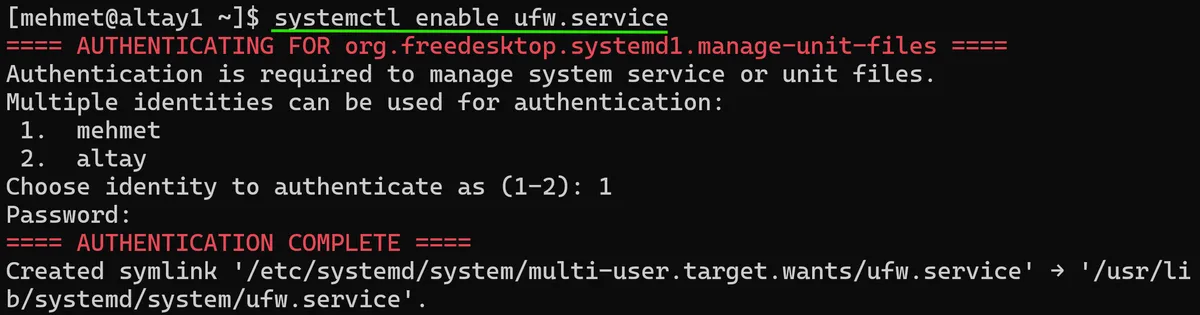
As per the UFW documentation I begin the installation by running a sudo pacman -Syu ufw before starting the ufw service with `systemctl enable ufw.service. It gives me a prompt asking which identity to active this with. I'll choose my mehmet user, as that's what I mostly use on this system. After authenticating, I can see that a symbolic link has been created in the /etc/systemd folder to the ufw.service file:
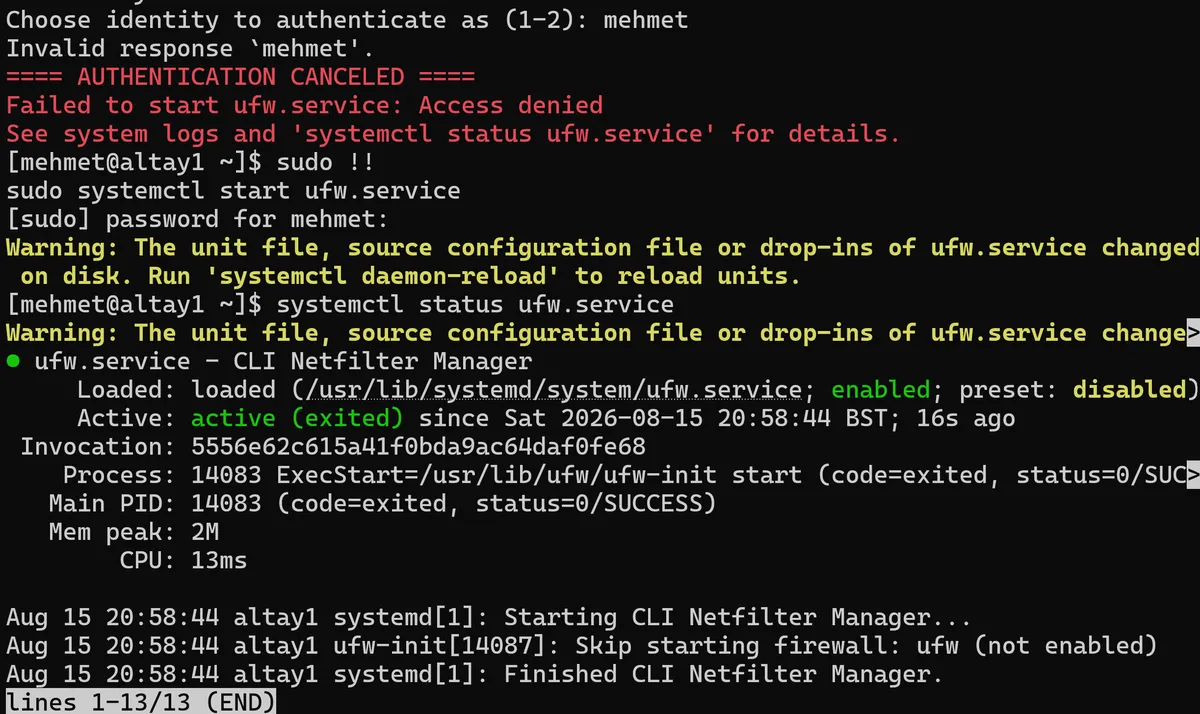
With the service enabled, I can now actually start UFW with systemctl start ufw.service. Note that this didn't work without me re-running the command with sudo using sudo !!. A further systemctl status ufw.service shows that I now have UFW successfully running on my Arch system:
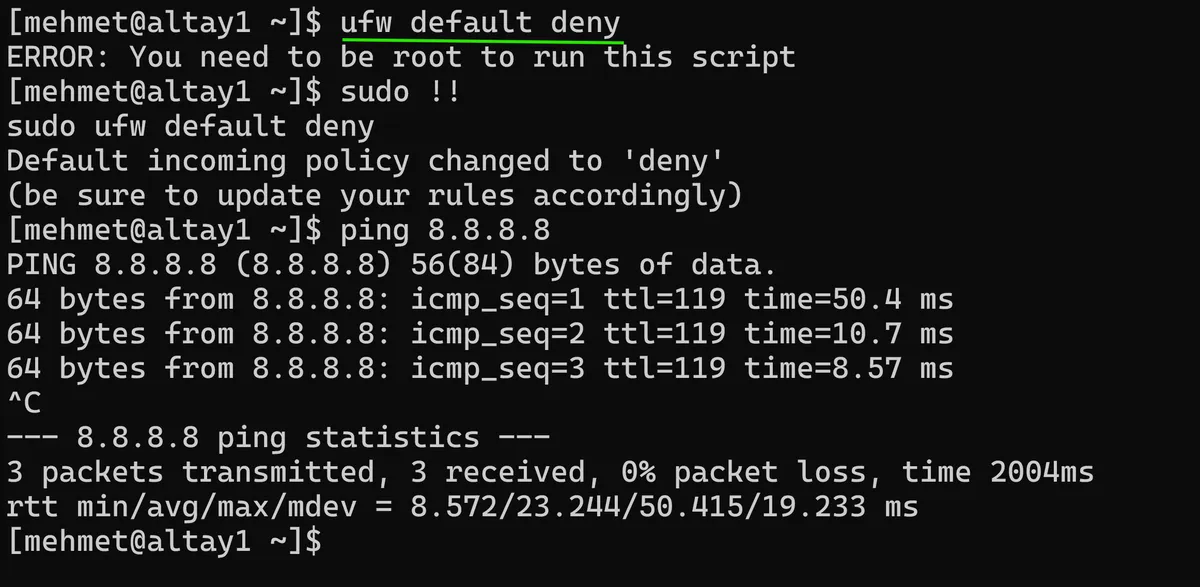
Great. As per the documentation, a very easy first configuration for my UFW is to default deny everything with sudo ufw default deny. I follow this up with a successful ping to Google's DNS. As right now I still have egress access to the internet, but nothing can ingress into the system's network.
I allow everything to ingress into the system from my local 192.168.0/16 network. I have the ability to even get as secure as locking down this network for specific devices in my home alone, but this should do for now. As I'm connected via SSH to my Arch system from my daily-driver laptop I will also make sure that this protocol will be allowed, using sudo ufw limit ssh. To action all these rules and the UFW policy, finally I run sudo ufw enable and can see that this was successful with a sudo ufw status command:
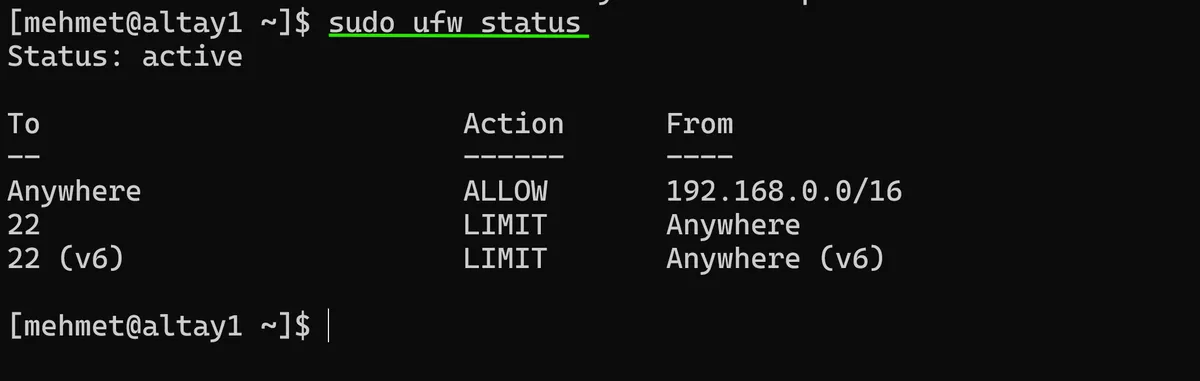
Excellent⚡. I now have a basic firewall in place on my Arch system which only allows connections from my home network. While there are many more hardening tasks I can action on my Arch build, the LUKS on LVM encryption protection with the basic UFW firewall in place fits most of the threat model prevention tasks that I had planned for the system, and puts it in a good place moving forward.
One final, easy security related task I can do is install the arch-audit command-line utility for Arch, which will scan installed packages on my system for known security vulnerabilities. Apparently it queries data directly from the Arch security team which will come in handy.
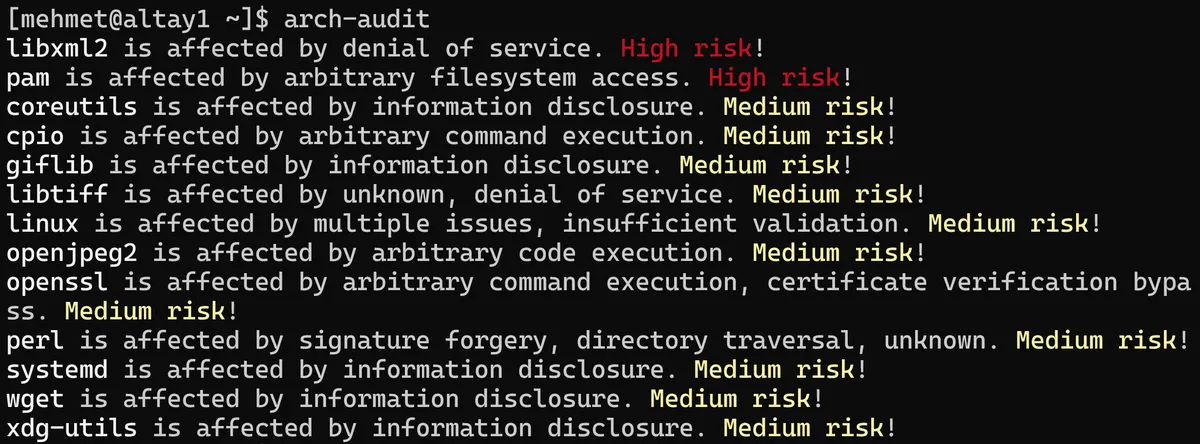
I install this tool with sudo pacman -Syu arch-audit and after installation run arch-audit which shows that I have quite a few Medium risk! packages on my system and a couple of High Risk! ones (Critical risk! is the highest level of threat with arch-audit). I will investigate these risks in another post but this is an excellent tool to make sure our Arch system remains secure and is not being threatened by malicious packages that have been installed.

In the next (and final) part of the Linux by Fire series, I will finally be adding an actual graphical interface to my Arch build using Hyprland, an excellent tiling window manager which will hopefully make my system seem more like an actual usable PC.
As always, thanks for reading,
Mehmet