Terraform Surgery: Fixing Cloudflare Provider Update Issues with Terraform Import

Cloudflare Terraform Provider v5 - Background
Back in 2025, Cloudflare announced that its Terraform v5 provider update was ready for general use. Unfortunately this release came with a lot of breaking changes. Even with the 45 page v4 to v5 upgrade guide they provided the main issue of resources being renamed has made this upgrade difficult (and quite hacky) to execute.
Like many engineers who initially tried to make the leap to v5, after running several Terraform plans and seeing the car crash that would be my dns state, I held off upgrading for quite some time (we are dealing with DNS after all). However, with the future prospect of a larger and even more complex leap from v4 to v6 looming over me, I figured it was time to put my DNS disquiet to the side and figure out how to nail this upgrade without issue.
The Problem
For demonstration sake, I've created a configuration similar to how most engineers use the Cloudflare terraform provider. We have an ACM cert, a Cloudflare DNS record pointing at a target domain, and the DNS validation records in Cloudflare to prove domain ownership and validate the ACM record:
resource "aws_acm_certificate" "cert" {
  domain_name       = var.domain_name
  validation_method = "DNS"

  lifecycle {
    create_before_destroy = true
  }

  tags = {
    Name = var.domain_name
  }
}

resource "cloudflare_record" "domain" {
  zone_id = var.cloudflare_zone_id
  type    = "CNAME"
  name    = var.domain_name
  value   = var.target_domain_name
  proxied = false
  ttl     = 1 # automatic
}

resource "cloudflare_record" "cert_validation" {
  for_each = {
    for dvo in aws_acm_certificate.cert.domain_validation_options : dvo.domain_name => {
      type  = dvo.resource_record_type
      name  = dvo.resource_record_name
      value = dvo.resource_record_value
    }
  }

  zone_id = var.cloudflare_zone_id
  type    = each.value.type
  name    = each.value.name
  value   = trimsuffix(each.value.value, ".")
  ttl     = 1
}
Simple enough right? If we go to the terraform.tf provider file and upgrade our Cloudflare provider to v5, and then run a Terraform init -upgrade we can see that the upgrade has successfully initialised. The problem occurs when we try to run a Terraform plan on our previously green state:
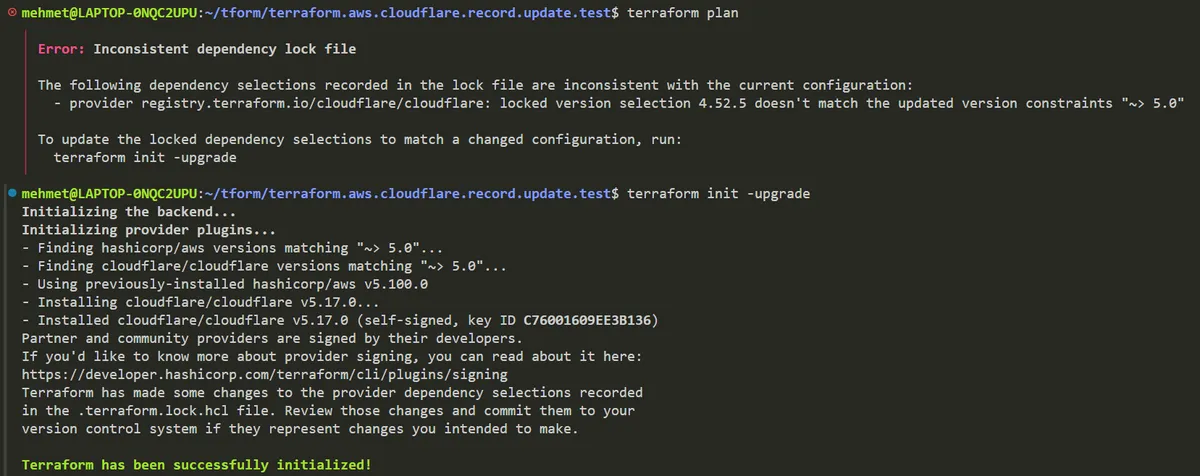
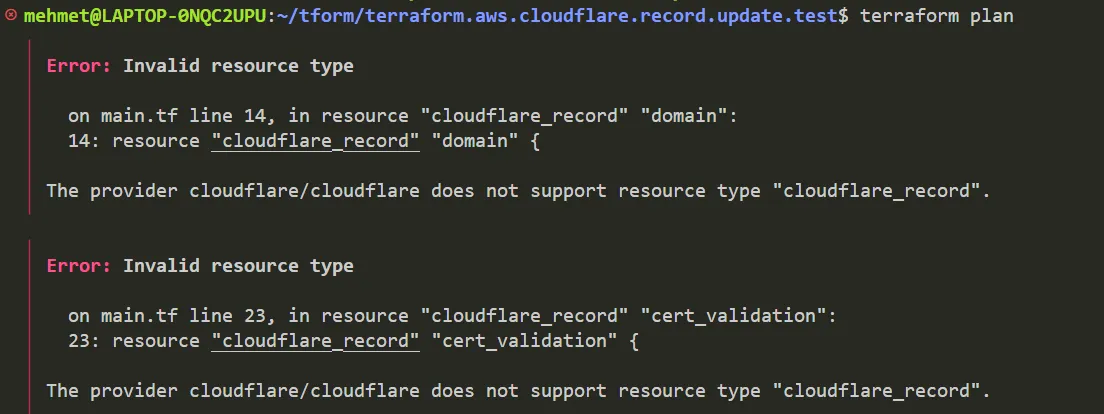
"So what's the problem Mehmet?" you may ask "Big deal, we just have to change the name of the resources" - ok as you please, lets change the resources so that they are now called Cloudflare_dns_record as mentioned in the Cloudflares v4 to v5 upgrade guide:
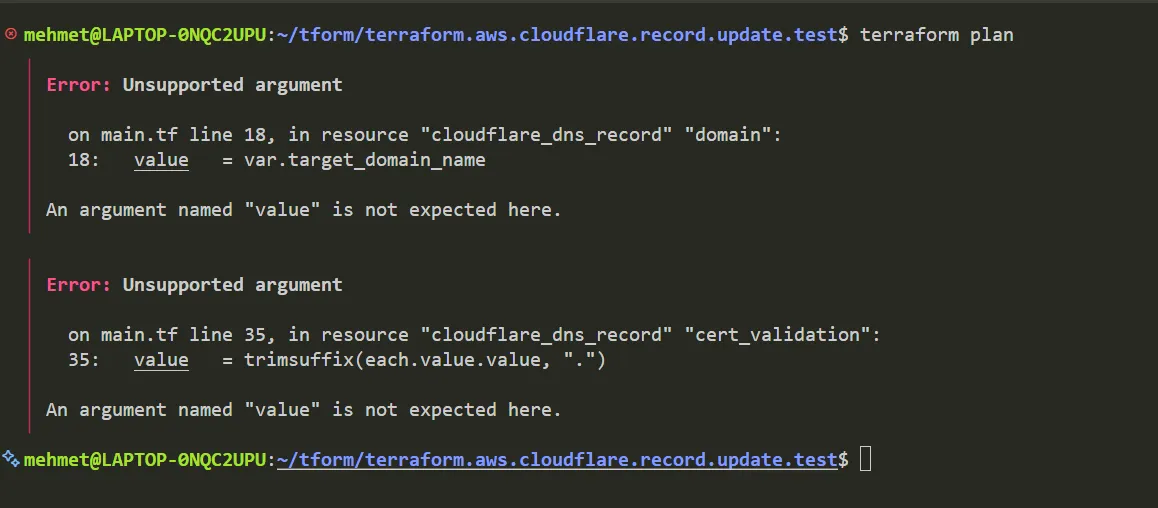
As expected the values no longer match what the previous v4 Cloudflare_record expected for its resource parameters. But more worryingly, after we take the time to painstakingly go through each of these parameters and make sure they line up with the new version, we get this error:
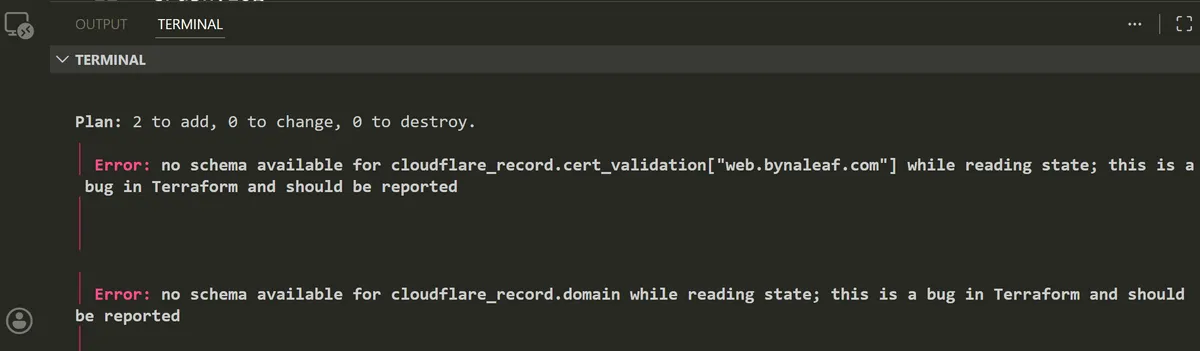
Not a particularly encouraging site. Especially if you don't have the luxury of raising an issue on the Terraform Github and waiting for a reply.
After a little prodding and poking (and good old HCL sweat and tears), I figured out that Terraform import would be the main way we solve this issue without nuking our entire DNS cert setup.
The Terraform Plan Fix
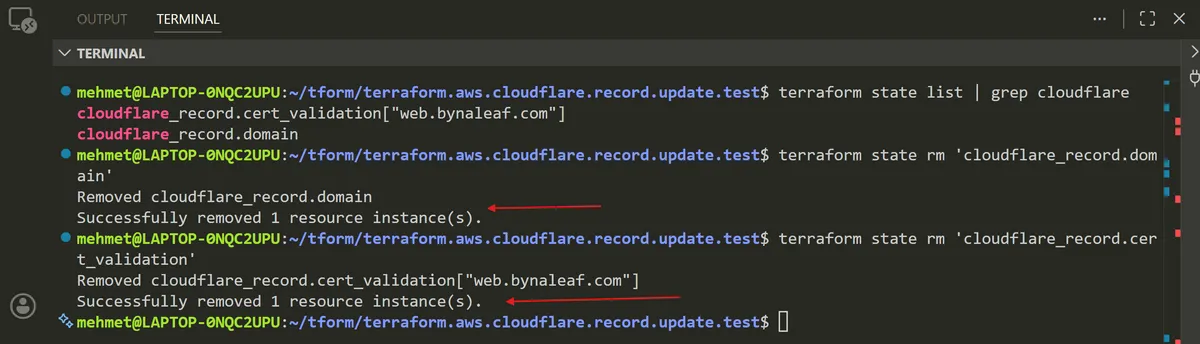
To fix this issue, the first thing we need to do is remove the two records we've changed from Terraforms state. Don't worry this will not remove the actual resources, just the way in which Terraform connects with them - kind of like us disconnecting a Bluetooth headphone from our phone.
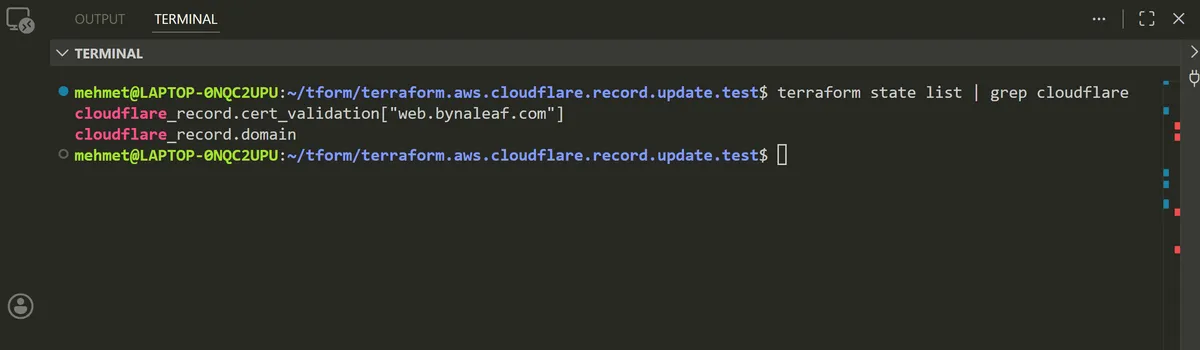
First we use Terraform state list to grep any resources with "cloudflare" in them - in this case both of our records:
And then we remove these two records from the actual Terraform state:
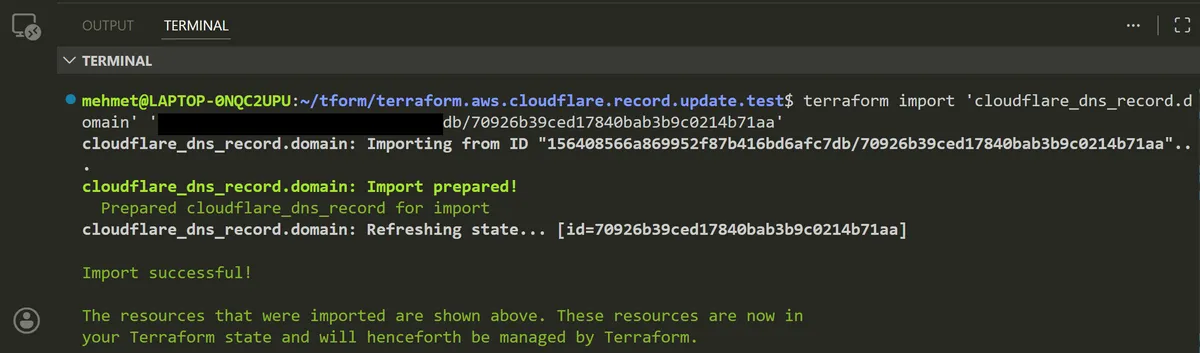
Great, now we've set up our state so it's ready for a new set of records to be imported. One issue we have is that Terraform expects the structure of the import command to be:
terraform import --var-file=foo 'cloudflare_dns_record.domain' 'cloudflare_zone_id/dns_record_id'
We already know what the name of our zone id is, as well as the name of the resource we want to import, however finding the dns record id in the Cloudflare Dashboard is not straightforward. In the DNS record subdirectory, we can find our "web" domain cname record, with it's name and target visible, but no dns_record_id to be seen.
To find this record_id, we need to to use our API key. If you've provisioned Cloudflare resources using Terraform (which I am guessing you have) you will already be familiar with the Cloudflare API key.
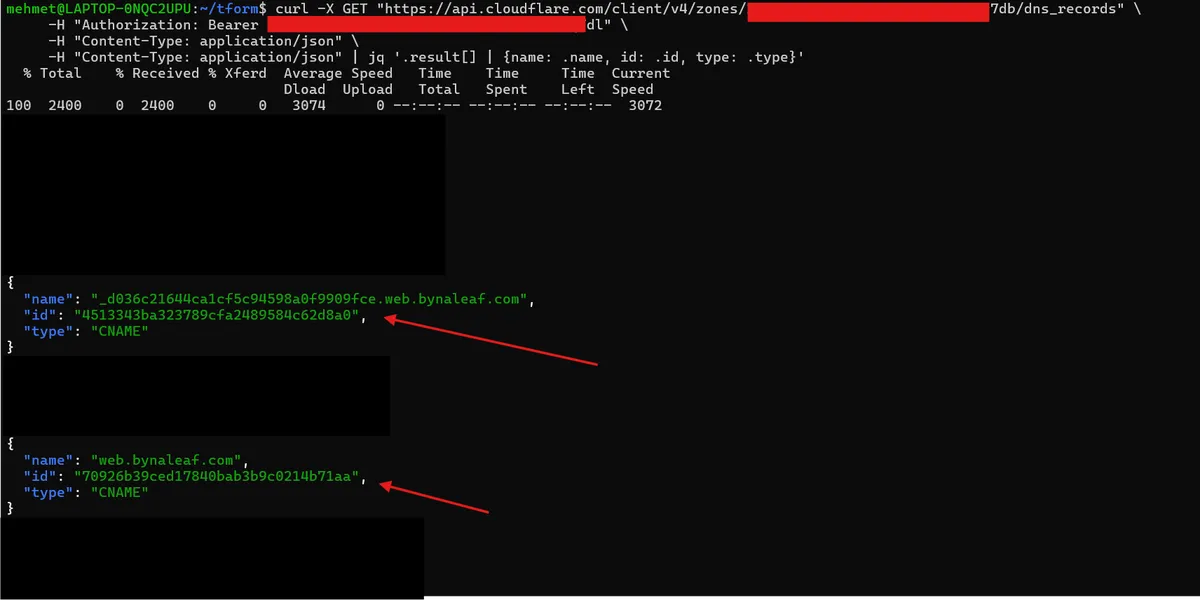
It is a key that we can configure with specific permissions to make programmatic requests to manage Cloudflare services (like in this case, creating Cloudflare DNS records from a Terraform plan). We can curl the dns_records of our domain like so (you are free to run this without using jq to arrange the results, but note it's a lot messier):
curl -X GET "https://api.cloudflare.com/client/v4/zones/zone_id/dns_records" \
     -H "Authorization: Bearer api_token" \
     -H "Content-Type: application/json" \
     -H "Content-Type: application/json" | jq '.result[] | {name: .name, id: .id, type: .type}'
This gives us a list of our DNS records, but now with the actual id that we need for the Terraform import:
We should now be able to import both of these records to the Terraform state, as if nothing ever happened and they were always there:
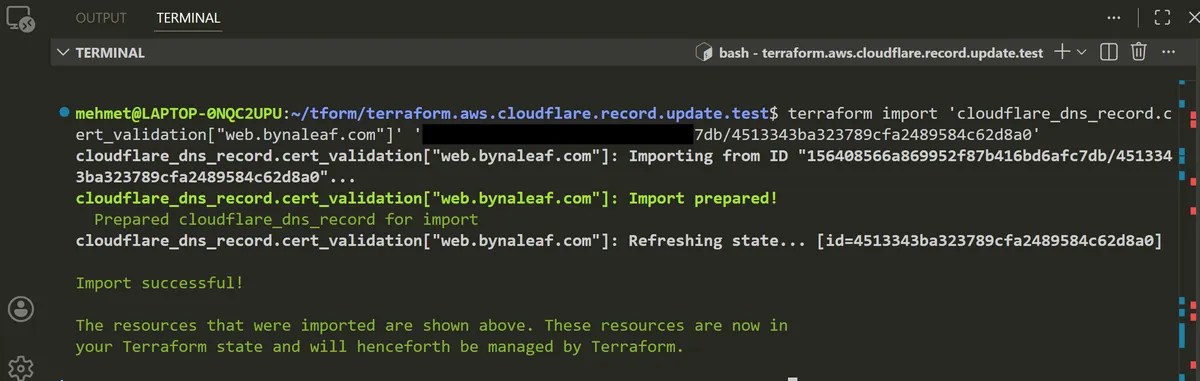
With our fingers and toes crossed, we can now run a Terraform plan and see what happens...
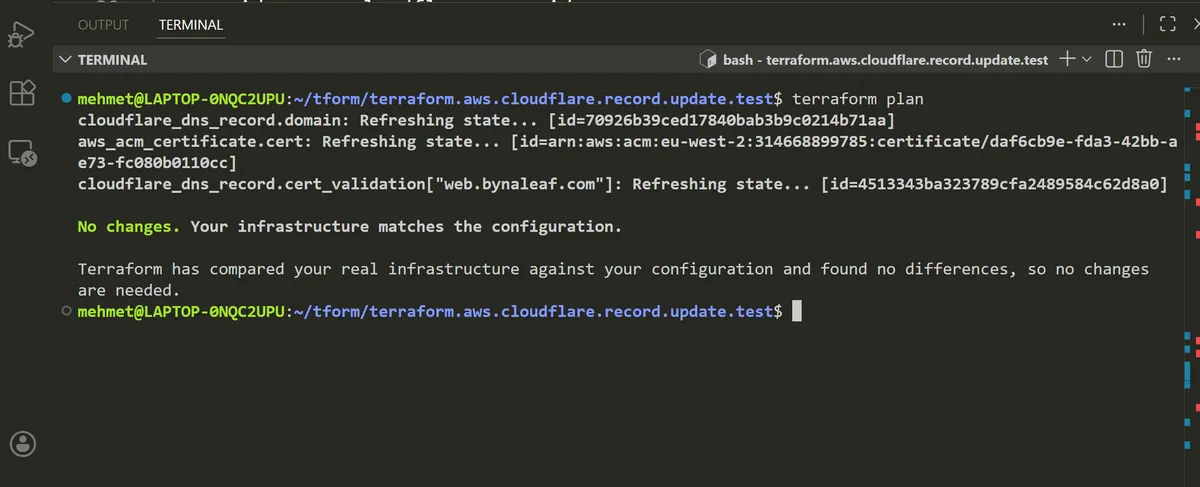
Great stuff! Despite us removing our Cloudflare records from state and reimporting them again, our Terraform state is none the wiser. We have successfully upgraded our Cloudflare Terraform provider from v4 to v5 and our Terraform plan remains in a nice, green state.
Breaking changes are always a pain, especially when dealing with something as fundamental to an application or infrastructure setup as DNS records, I hope you find this useful and it saves you some tears whenever you decide to make the upgrade.
thanks for reading,
Mehmet