Linux by Fire Part 7: Boot Loader

Crackin' open the bootloader
After spending much effort going through the most fundamental installation tasks for my Arch build, it is now time for the fun part of actually getting Arch to boot up like a normal, functioning PC. This will mean that even if I take out the boot loader USB I've still had plugged into my mini-pc this entire time and restart the machine, for the first time I'll be able to boot back into the Arch build.
When my machine powers on, the firmware (UEFI, in my case) runs the POST (Power-On Self-Test) to check that all essential hardware is available and functioning. After POST completes successfully, the firmware scans the connected disks for an EFI System Partition (ESP), this is the 1GB UEFI partition I created earlier in this series. The firmware then looks inside that partition for a boot loader (a .efi file) to load and run, which is what ultimately starts the operating system.
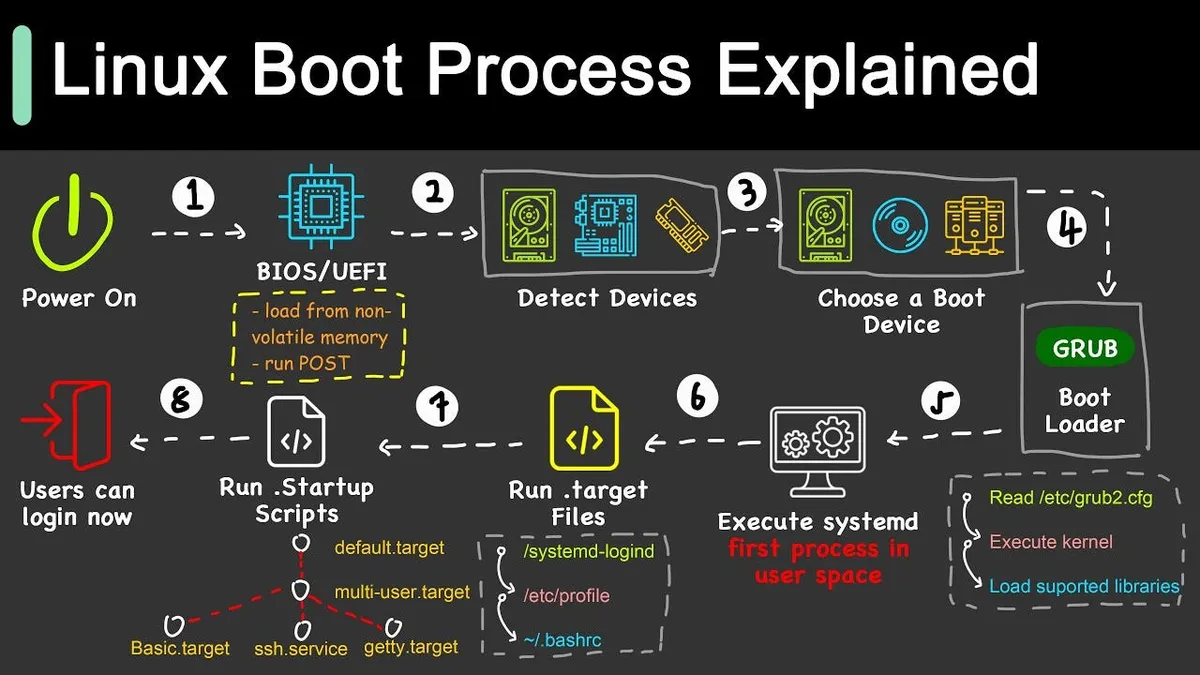
The old standard of Linux used to be GRUB (Grand Unified Bootloader) and this worked fine, however systemd has its own boot loader and given the fact that I've been using systemd for my Arch build's networking and various other utilities and services, it makes sense to use it for this.
Taking a look at the Arch systemd-boot page, I can see that it is helpfully shipped with the entire systemd package (which means it doesn't need a new installation as my system already has systemd), and that our system must have a UEFI boot partition. This is something I did in Linux by Fire Part 2 using fdisk.
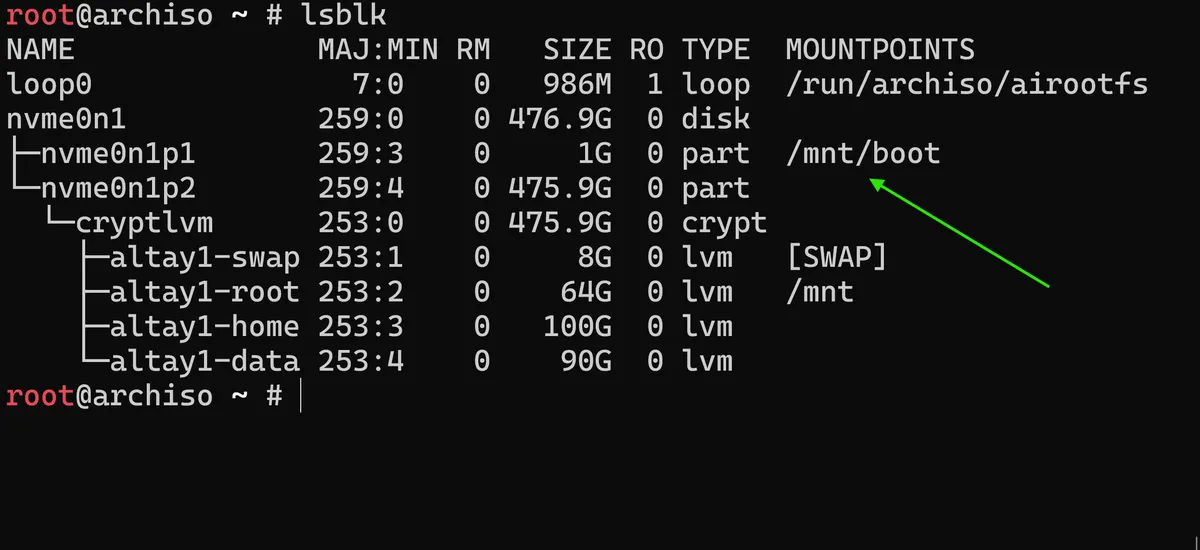
As seen in the screenshot, the 1G UEFI partition is already mounted onto the /mnt/boot path. Running bootctl install will automatically detect the ESP (EFI System Partition) mount point, which is a special storage area used by my system's UEFI firmware to actually locate the Arch OS boot loader.
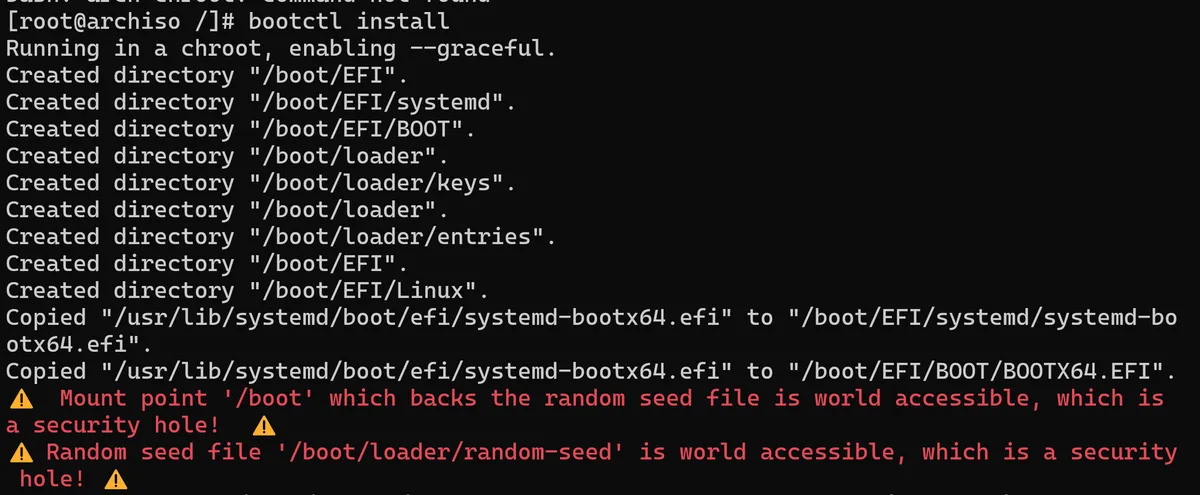
After running this I can see that this has worked, albeit with some dramatic security warnings. Most likely because I am navigated into chroot when running this command. For good measure I also run the bootctl update just in case newer systemd-boot binaries need to be added to the ESP.
As per the Arch documentation about using dm-crypt/LUKS with LVM encryption on our system, it states that "In order to unlock the encrypted root partition at boot, the following kernel parameters need to be set by the boot loader".
If I cd /boot/loader I should be able to see what the bootctl command actually installed in our loader configuration. However it is the /boot/loader/entries folder I am most interested in right now. When you have the boot loader and say you would like multiple boots to be available (ubuntu and arch on the same system for example), having an entry in the /boot/loader/entries directory means that we will have one option to choose in our boot loader on start-up. In my case, I need to make sure I have an arch.conf entry within this directory. I will first create the file using vim arch.conf and copy in the following configuration for this file:
title Arch Linux
linux /vmlinuz-linux
initrd /initramfs-linux.img
f
options rd.luks.name=<device-UUID>=volumegroup root=/dev/volumegroup/root rw
Arch Linux will be the title I will actually see in the boot-loader when it loads, linux refers to the file that this will load and the initrd refers to the initramfs image that will be generated by the mkinitcpio that I configured in the previous blog post. This points the boot-loader to the correct location in our boot directory.

As I've encrypted this entire disk through LUKS on LVM, I must also add the kernel parameters options line in the arch.conf file to facilitate the de-encryption process at boot. As per the Arch wiki, I now also need to add an sd-encrypt hook which will set the LUKS name and UUID I'm using, to indicate the actual partition that needs to be decrypted, and the logical volume to then mount as a root file system. For this I'll need to find the actual UUIDs for the partition on my machine.
This is where I can use the blkid command. blkid or block id is a command that is used to locate and print the attributes of all block devices on your Linux system. A cool little trick I learnt is that if I vim back into my arch.conf file and write the following in normal mode: !!blkid this actually exports the contents of the blkid command directly into my current vim window without needing to copy and paste. Pretty snazzy right?
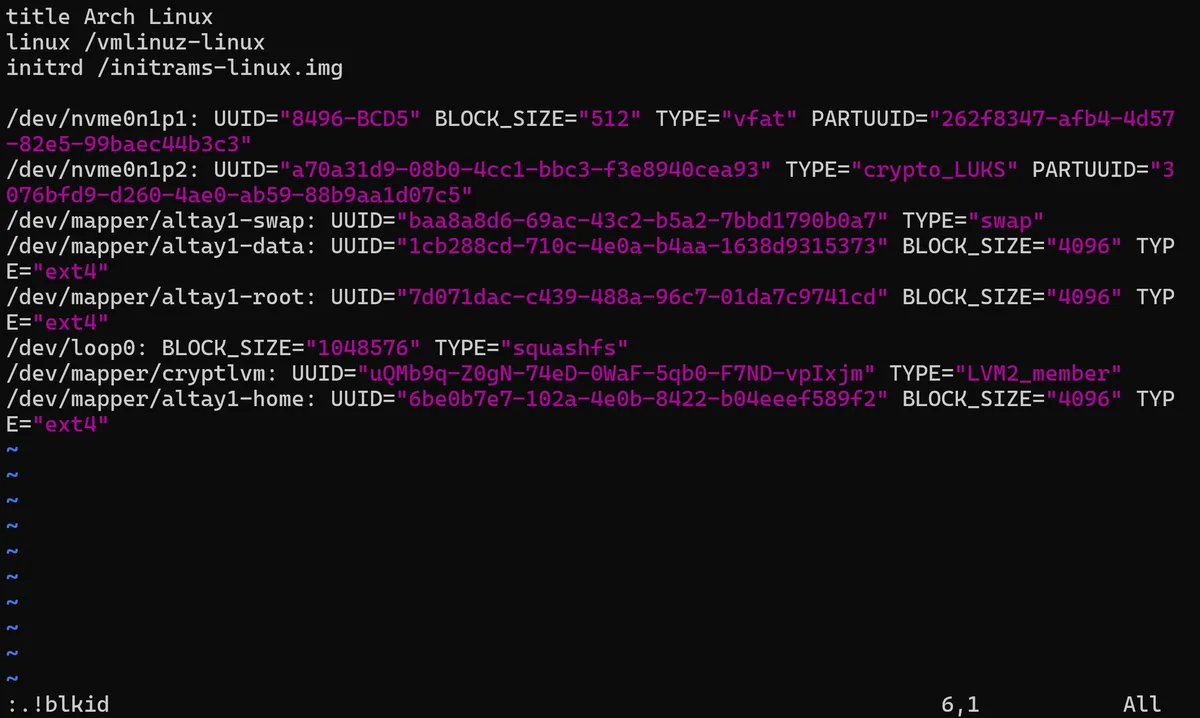
In this case it is the crypto_LUKS type partition on /dev/nvme0n1p2 that I must retrieve the UUID from before pasting it into my kernel parameters options line:
options rd.luks.name=a70a31d9-08b0-4cc1-bbc3-f3e8940cea93=volumegroup root=/dev/altay1/root rw
So to confirm, I've created an entry in my boot loader that points to the /vmlinuz-linux kernel, the correct initramfs it needs to load and, because we need to decrypt our disk on startup, options to the bootloader showing the UUID of the volume group it must decrypt, before specifying the actual volume group - /dev/altay1/root - it will need to mount as root.
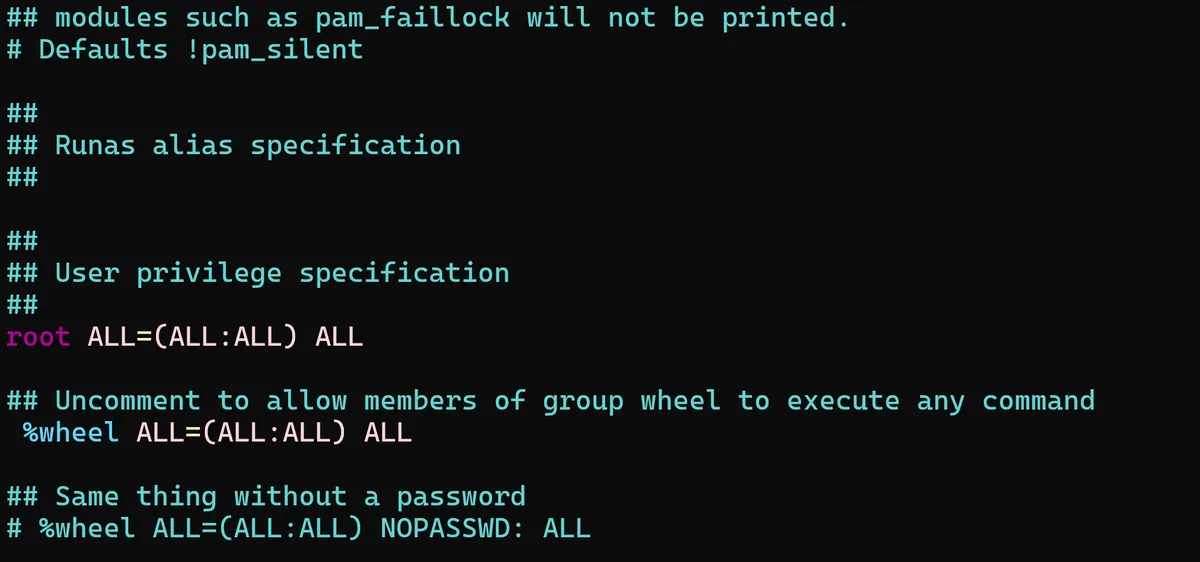
Now I'll need to create a user for myself. I will also create a group for this user called wheel, which follows the Linux naming convention for users who have root privileges on a Linux system. wheel isn't enabled by default in Arch Linux settings, so I will need to run the visudo command (this was installed with pacman and the sudo package earlier on) and uncomment this section so that wheel group members can run any command by default:
 fasdf
After setting both a root password and the
fasdf
After setting both a root password and the mehmet user, this should be ready as the boot loader is now fully configured. I'll exit my ssh session and with crossed fingers and toes hope that this boot works as expected...
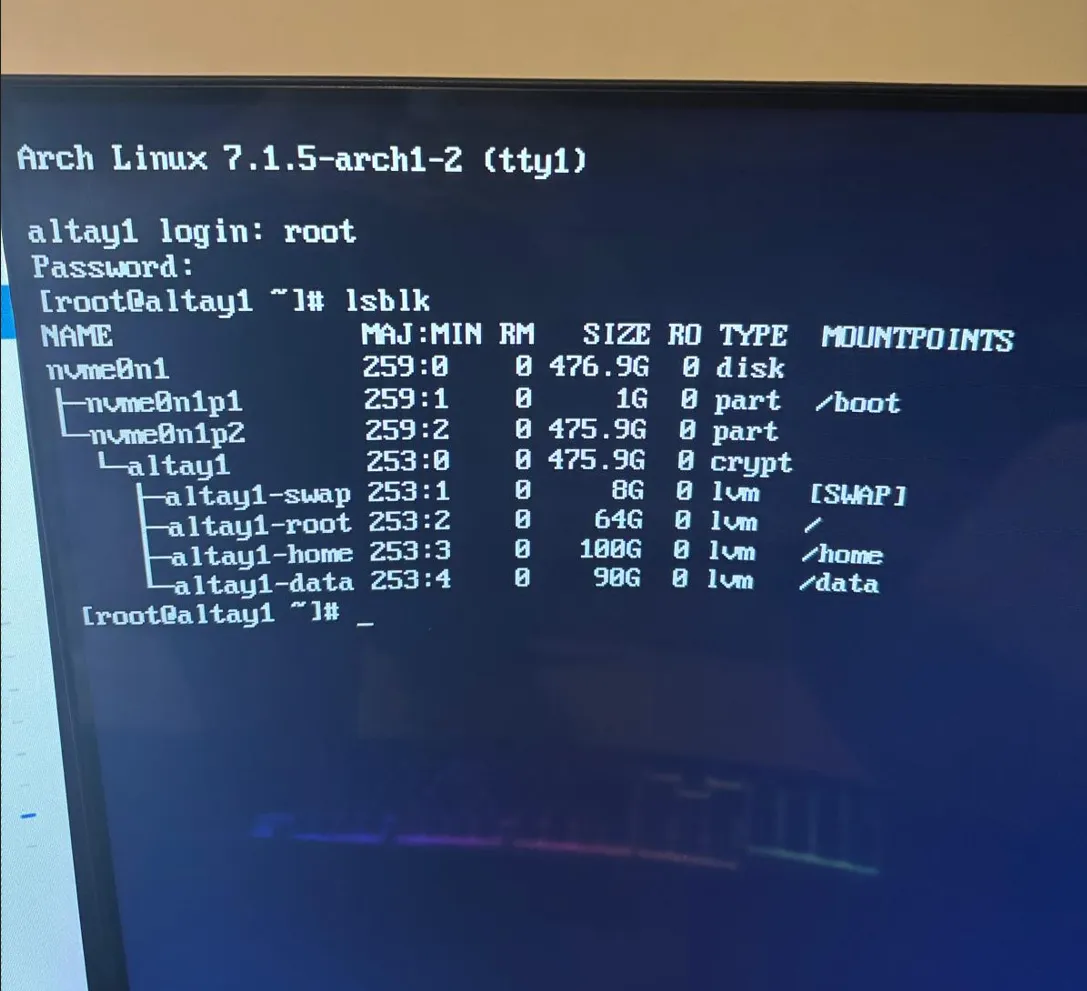
Success! 🎉
My Arch build is now being booted directly from my mini-pcs bootloader and no longer requires a USB to work. I'm now in a really solid place to properly start configuring and customising exactly how I want my Arch build to be.
Thanks for reading,
Mehmet